Microsoft has officially begun transitioning Copilot Notebooks into Copilot Workspaces across its business ecosystem. The structural update transforms the feature from an individual context-gathering tool into a collaborative workspace designed for multi-user project environments.
Rather than requiring team members to prompt artificial intelligence models inside isolated chat sessions, the updated platform allows teams to work within persistent project hubs. The evolution brings real-time presence indicators, shared reference libraries, and integrated task tracking directly into the Microsoft Copilot application.
microsoft copilot workspaces replaces notebooks: Microsoft Shifts Focus to Collaborative AI Rooms
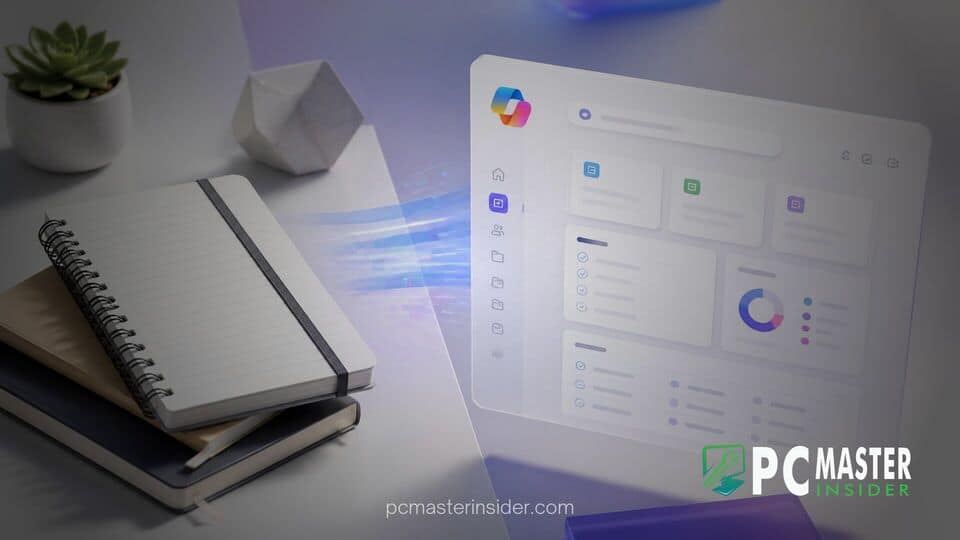
Under the revised architecture, Microsoft Copilot Workspaces replaces Notebooks to provide project teams with a unified operational center. While the original Notebooks feature served primarily as a private scratchpad to ground Copilot responses on specific documents, Workspaces enables multiple team members to interact with artificial intelligence models simultaneously using the same background files.
The transition marks a broader strategic push away from isolated, single-player generative AI prompts toward multiplayer digital environments. Within a Copilot Workspace, team members can curate source material from Microsoft Word documents, Excel spreadsheets, PowerPoint presentations, PDF files, Microsoft Loop components, and web links. The AI assistant draws directly from this pooled context to generate tailored briefings, highlight project changes, and suggest immediate action items without requiring users to continuously upload files or repeat prompt instructions.
Microsoft Transitions Copilot Notebooks to Copilot Workspaces
Microsoft designed the transition to be automatic for existing enterprise users. All saved notebooks stored within the Microsoft Copilot app automatically migrate into the new Workspaces format without requiring manual file exports or administrative reconfigurations. Existing links, attached reference files, and custom prompt instructions remain completely intact.
For organizations already managing digital IT environments, this seamless transition minimizes operational disruption. It aligns closely with recent platform updates across the broader operating system portfolio. As IT administrators work to configure workspace permissions, they are also benefiting from updates like native Windows 11 maintenance windows in Intune to retain strict control over organizational deployment cycles.
Key Features and Collaboration Tools in Copilot Workspaces
The updated Workspaces experience introduces several features tailored to team-based productivity:
- Live Presence and Co-authoring: Multi-colored live cursors allow teammates to see precisely where colleagues are editing and reviewing content inside the shared space.
- Persistent Grounding Context: Reference documents, custom rules, and background guidelines stay active across all chats initiated within the workspace, preventing context loss between working sessions.
- AI Agent Integration: Autonomous agents working alongside human team members can draft sections, incorporate inline feedback from team comments, and update project tracking data.
- Shared Task Summaries: Copilot highlights unresolved feedback, flags modified project details, and generates status updates based on real-time edits made by team members.
Migration Process for Existing Notebook Links and Saved Content
According to official Microsoft support documentation, existing permissions and access rules transfer automatically during the rollout. Private notebooks remain restricted to their original creators, whereas shared notebooks carry over their existing permissions. If a user previously shared a notebook with specific team members, those colleagues retain immediate access to the newly converted workspace.
Furthermore, Microsoft's security, compliance, and data governance policies continue to govern all reference files linked inside a workspace. Linked enterprise data residing within SharePoint or OneDrive respects existing document-level access permissions. If a workspace member lacks permission to view a underlying source file on a corporate drive, Copilot will not surface information from that specific file to that individual user.
This automated migration reflects Microsoft's push to optimize administrative management while improving core software delivery across its portfolio. From enterprise security management down to fundamental shell updates, such as when Microsoft retired M365 companion apps to free up background system memory, the ecosystem continues to evolve toward leaner, more integrated enterprise workflows.
Availability Across Enterprise and Personal Licensing Tiers
The rollout of Copilot Workspaces follows a phased timeline. Early access controls and advanced collaboration capabilities first became available through Microsoft's Frontier program following its Ignite announcements. Standard global enterprise deployment begins rolling out across commercial Microsoft 365 Copilot licensing tiers, with full availability expanding over the coming months.
Microsoft has also established a distinction between personal task organization and group projects inside the Copilot interface. Copilot Projects remains focused on individual workflows, allowing users to organize private research chats, personal task lists, and draft outputs. Copilot Workspaces, by contrast, is specifically built for team collaboration, allowing users to bring individual project files directly into a shared workspace when broad team access is required.
How Workspaces Fits Into Microsoft's Broader Copilot Ecosystem
The introduction of Copilot Workspaces forms part of a larger structural overhaul of Microsoft 365 artificial intelligence tools. By unifying collaborative workspaces with features like Copilot Cowork and custom AI agents, Microsoft aims to reduce administrative friction and eliminate fragmented communications across email threads and chat channels.
This ecosystem push extends into local device management as well. Recent technical updates have seen the company expand assistant capabilities directly into local operating system layers, such as testing features where Microsoft Copilot adds local file management to organize local storage structures on desktop PCs.
Simultaneously, engineering teams remain focused on platform performance, system stability, and operating system updates. Even as cloud-based productivity features expand rapidly, core engineering teams continue optimizing underlying software infrastructure, exemplified by initiatives where Microsoft prioritizes Windows 11 reliability and system response speeds ahead of future major platform upgrades.
Workspaces will also gradually integrate with existing productivity platforms like Microsoft OneNote over time. While the primary collaborative features currently live inside the standalone Microsoft Copilot application, full cross-platform parity across OneNote and connected web applications is scheduled to follow as phased updates continue rolling out to global tenants.
In summary, the transition from Copilot Notebooks to Copilot Workspaces provides businesses with a central hub designed specifically for team-based AI interaction. By combining persistent context, automated document migration, and real-time multiplayer co-authoring, Microsoft is helping teams transform fragmented file collections into active, intelligent project environments.