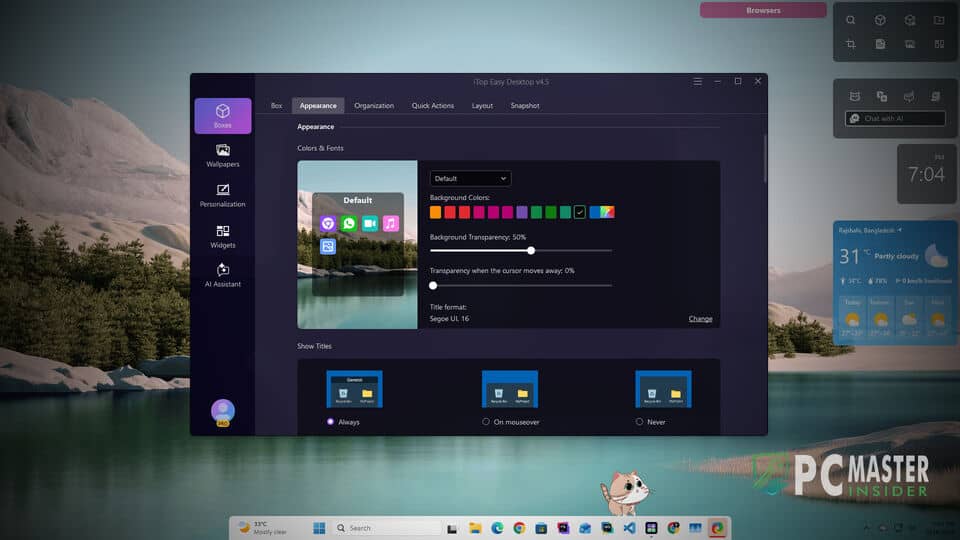
A cluttered Windows desktop can severely effect your daily productivity. So, you may need a desktop organizer tool. If you are looking for one, this iTop Easy Desktop review may help you to decide.
Over time, loose shortcuts, transient documents, installer executables, and random screenshots pile up, obscuring backgrounds and slowing down workflow efficiency. Even though Microsoft has introduced features like a movable taskbar and resizable start menu, it's still not enough.
A desktop organizer software like iTop Easy Desktop can be essential for productive people like you. Recently, I have got chance to review this software to find its pros, cons, usability and more. My team has examined whether this utility delivers enough flexibility and performance to earn a permanent spot on your PC. So, let's see what we have found.
iTop Easy Desktop Review: Summary & Key Specifications
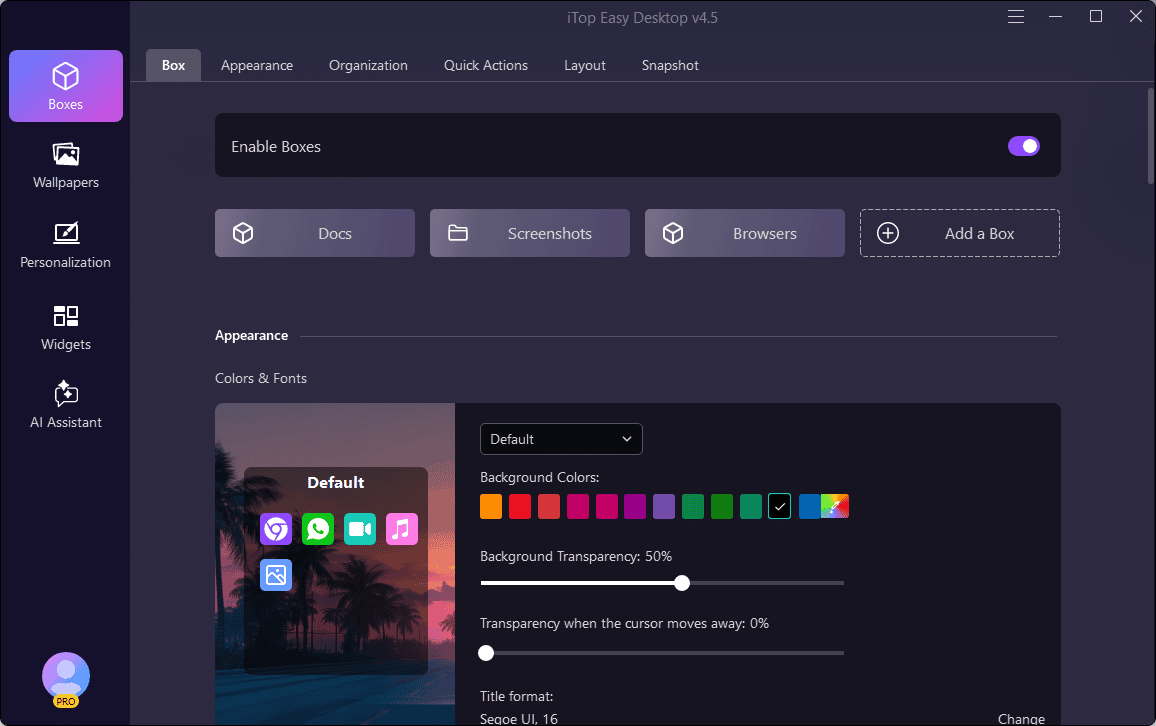
iTop Easy Desktop is a feature-rich desktop organizer designed to automate daily file sorting, secure sensitive data, and modernize your visual workspace. It offers a freemium model. The core organizational tools are completely free, while advanced styling, unrestricted password protection, and expanded file-handling options are locked behind a Pro subscription.
During our real-world testing, the application delivered exceptionally fast layout creation and minimal background RAM usage. It provides an effortless way to keep your desktop pristine without requiring constant manual sorting discipline. To learn more, let's go through the next sections:
Technical Specifications:
Declutter your desktop, group icons into smart boxes, and boost your daily productivity. (8.5/10)

Brand: iTop
Operating System: Windows 11 / 10 / 8 / 7
Developer: iTop Inc.
Category: Desktop Utility / Productivity
License Type: Freemium / Paid
File Size: 6.42 MB
Check PriceBelow is a snapshot summary of technical specifications and performance metrics:
| Vendor | iTop |
| Software Name | iTop Easy Desktop |
| Reviewed Version | v4.5.0.349 |
| Installer Size | 6.42 MB |
| Installation Size | 349 MB |
| Supported OS | Windows 11, 10, 8, 7 (64-bit and 32-bit supported) |
| RAM Usage | ~80 MB - 150 MB running in background (varies when dynamic wallpapers or AI widgets are active). |
| Core Architecture | C++ high-performance engine for direct Windows Shell interaction. |
| Primary Licens Types | Free (Basic Edition) and Pro (1-Year Subscription for 3 PCs). |
Features Overview
iTop Easy Desktop combines automatic desktop organization with modern UI tweaks and smart widgets. Here is the list of major features of this software:
- Desktop Boxes
- Folder Portals
- Live and Static Wallpapers
- Multiple Taskbar and Start Menu Styles
- Desktop Icons
- Elegent Mouse Cursors
- Widgets
- AI Assistant
- Searbar and Quick Actions
Besides these 10, I found even more features. To understand its true value proposition, let us break down each core feature in detail.
Automated Desktop Boxes & Custom Grouping Rules
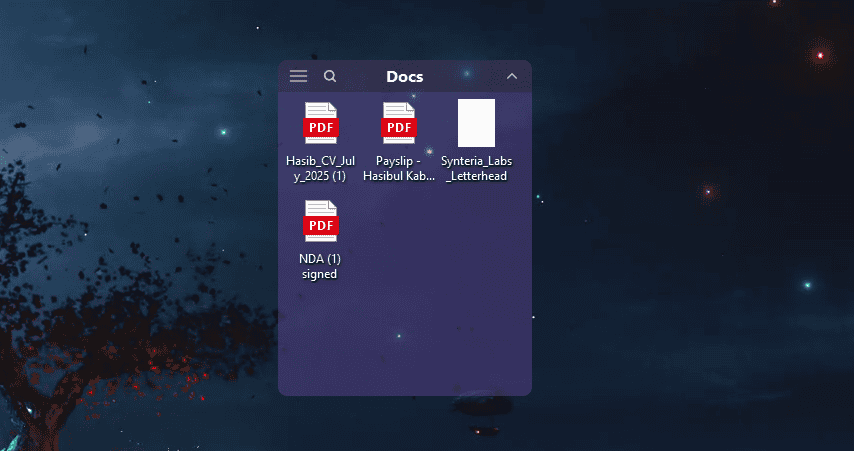
The centerpiece of the software is its Boxes framework. When launched, iTop Easy Desktop scans your screen and sorts shortcuts, images, documents, and system icons into organized, semi-transparent boxes based on user-defined file extension rules.
You can easily adjust box colors, opacity levels, font styles, and size dimensions manually. Compared to basic Windows group shortcuts, iTop Easy Desktop keeps these containers permanently visible directly over your wallpaper, offering far faster access without cluttering File Explorer windows.
Folder Portals
The Folder Portal tool allows you to map any deep directory folder from your hard drive directly onto your desktop as an interactive mini-window. Rather than opening multiple nested subfolders to edit files, a Folder Portal displays the entire directory on screen.
Compared to traditional Windows shortcuts, which merely open a separate File Explorer window, Folder Portals allow direct file previews, drag-and-drop operations, and quick file deletions without ever navigating away from the main desktop screen.
Quick Search & Instant Hotkey Access
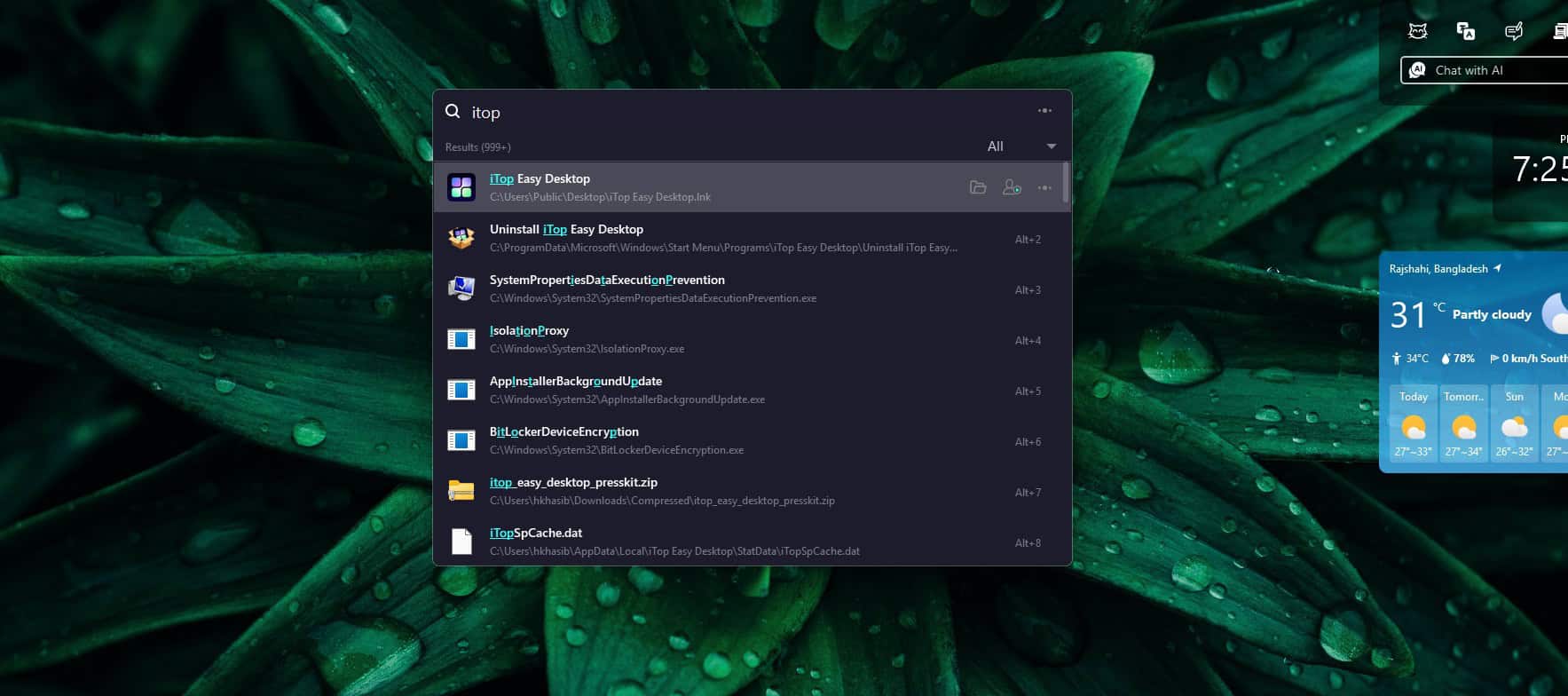
Locating misplaced items on crowded storage drives can be frustrating. iTop Easy Desktop integrates a fast local search indexer that bypasses slow standard indexing algorithms. With a quick hotkey shortcut, an instant search bar opens, highlighting files in seconds as you type.
You can press Alt + S to open the search bar.
This tool also has other hot keys to access some quick features. You can find it from the Quick Actions menu.
Private Box & File Encryption
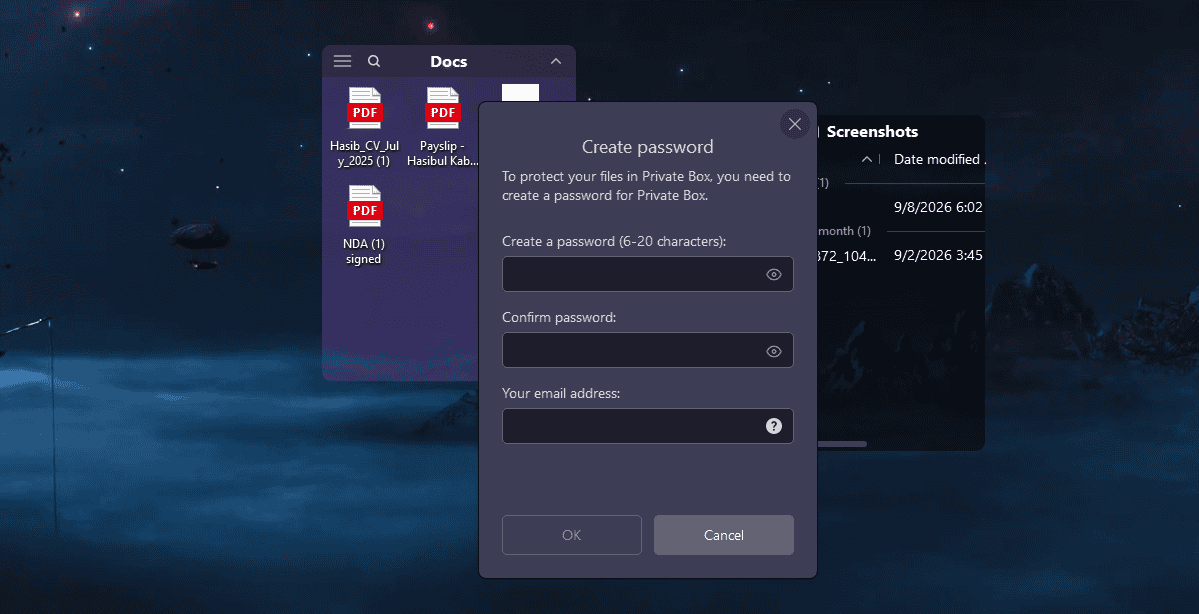
Security is essential when multiple people share a workstation. The Private Box feature creates a password-protected, encrypted container right on your desktop. Any sensitive documents dropped into this box are instantly hidden and locked behind master credentials.
Compared to built-in Windows folder hiding tricks or standard ZIP encryption tools, Private Box offers far quicker daily interaction without requiring manual extraction steps every time you view a document.
Live Wallpapers
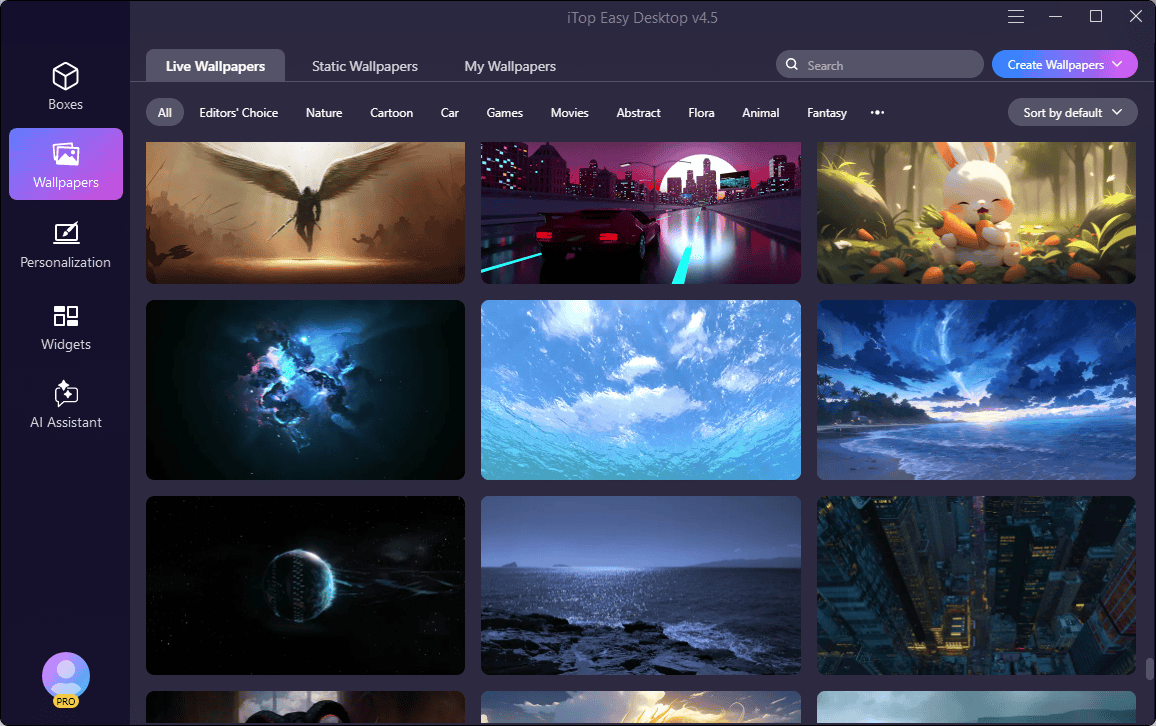
Besides static wallpapers, the iTop Easy Desktop has live wallpapers. From the Wallpapers section of its window, you can access Live, Static and your own custom wallpapers. Before, applying, you can preview to see how it looks in your setup.
To be honest, it has some cool live wallpapers collection. I have been using one for sometime. This is a feature some tech-savvy users may heavily like.
Productivity Widgets & AI Assistant Integration
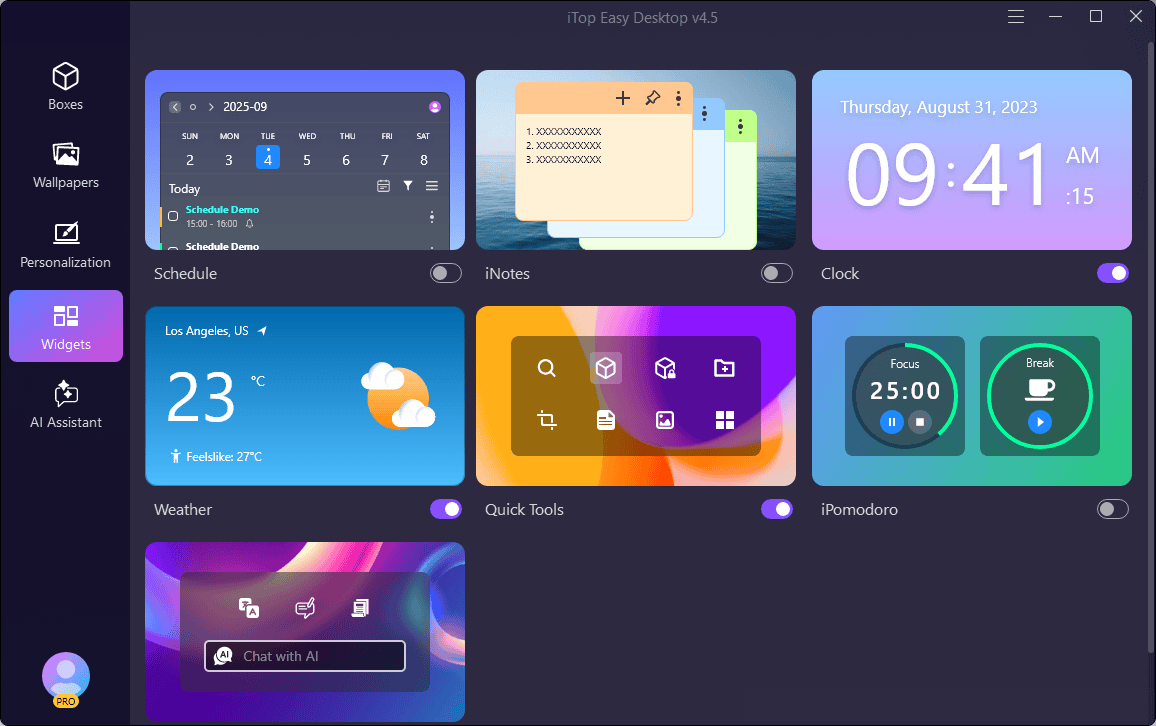
Beyond icon management, the suite includes built-in desktop widgets: iNotes for sticky memos, an interactive calendar widget, an iPomodoro workflow timer, and a ChatGPT-powered AI Assistant. You can execute quick writing, translation, or text summarization tasks directly from your desktop interface.
While these extras might feel extraneous to purists, they turn the desktop into an all-in-one productivity hub.
Other Features
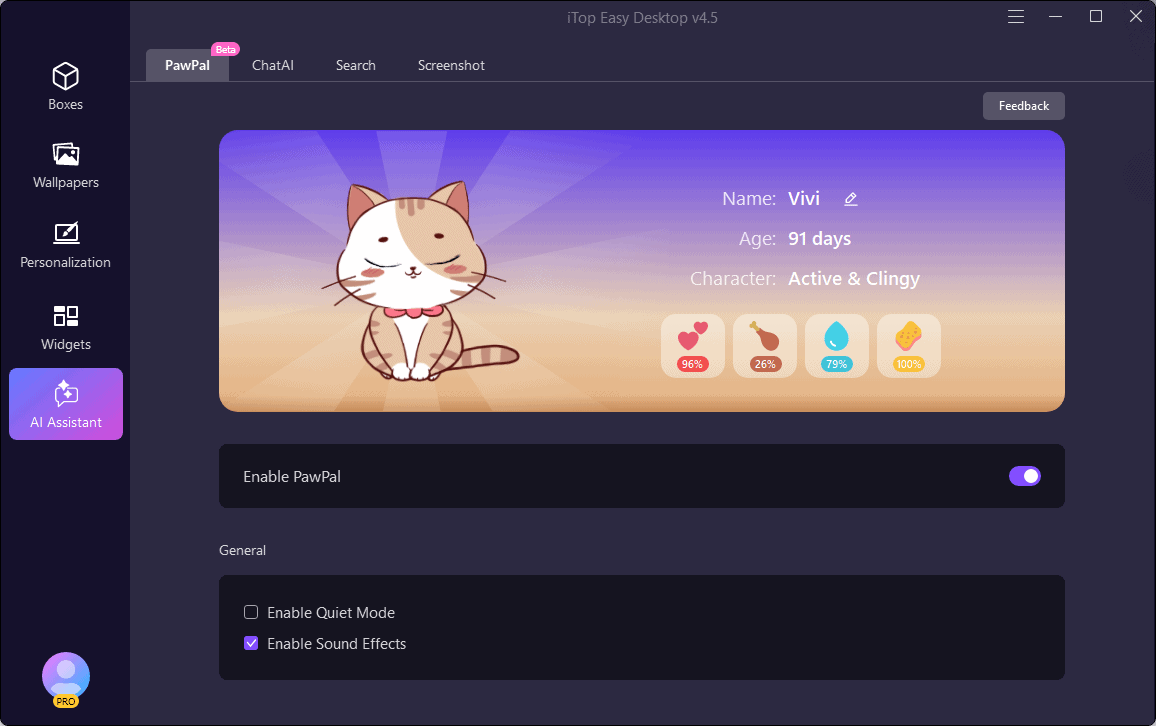
The iTop Easy Desktop also have some other features like Desktop icons, Mouse cursors, Easy Screenshots, etc. In the latest version, iTop has introduced a desktop pet PawPal. When enabled, it can interact with you in different ways. Though it's not a true assistant, it still can give you digital accompany.
Else, you can choose from multiple start menu and taskbar styles. It's a great feature for users who want to modify visuals of Windows 11.
Interface and Usability
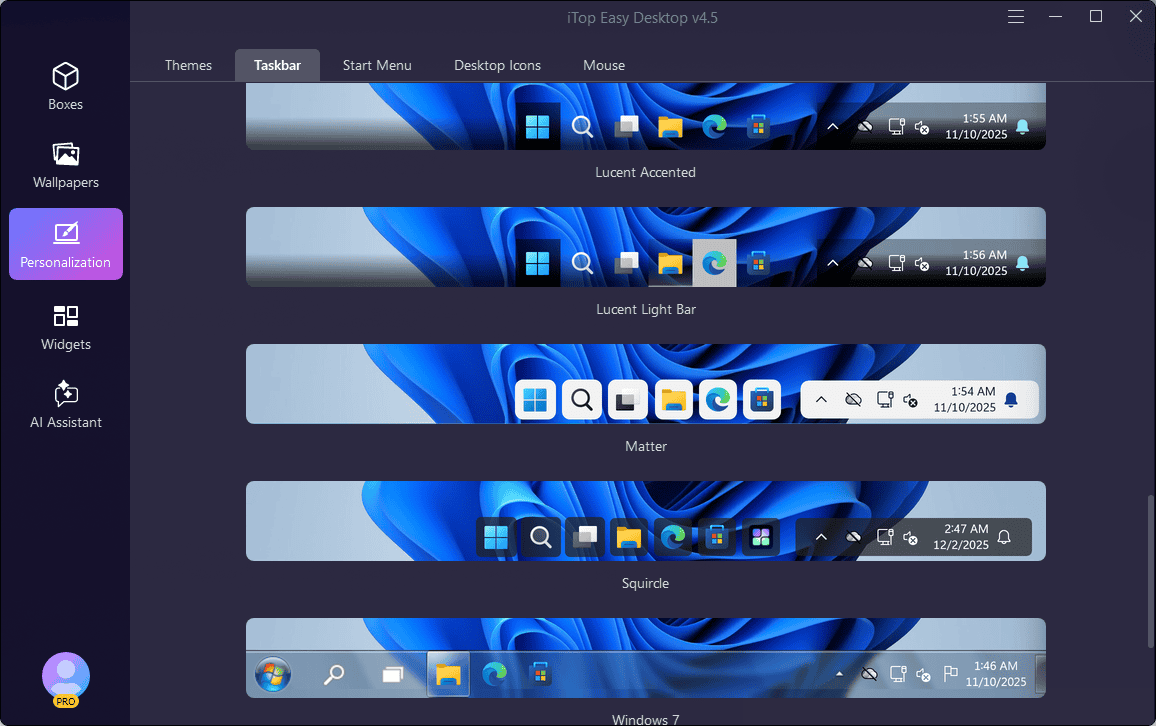
The interface of iTop Easy Desktop strikes an effective balance between modern aesthetics and accessible layout design. Its main control panel is cleanly split into intuitive sub-navigation menus: Boxes, Wallpapers, Personalization, Widgets, and AI Assistant.
Adding a new box or adjusting visual parameters requires minimal effort. Beginners can simply select auto-organize presets, while advanced users can set custom layout rules, toggle auto-hide parameters, and adjust snapshot backups.
Visual presentation matches native Windows 11 acrylic and mica design principles smoothly. Icons remain crisp, text rendering looks sharp against dark and light wallpapers, and mouse drag response times within desktop boxes are virtually instantaneous.
For users who enjoy visual customization, iTop Easy Desktop fits right into the aesthetic ecosystem without feeling like an outdated third-party skin.
Customer Support
Customer support for iTop Easy Desktop is delivered primarily through online ticketing systems, a comprehensive user manual, and a dedicated FAQ knowledge base. Paid Pro users receive prioritized email support response times, ensuring swift resolutions for technical issues or license transfer inquiries.
During testing, general documentation clear outlines feature hotkeys, rule creation steps, and troubleshooting tips, making self-help straightforward for non-technical users.
Pricing and License Plans
iTop Software adopts a freemium pricing structure for Easy Desktop, offering a fully usable Free edition alongside an upgraded Pro subscription model.
- Free Edition ($0.00): Includes basic automatic icon organization, standard desktop boxes, manual layout adjustments, quick double-click hide features, search functionality, and basic widgets.
- iTop Easy Desktop Pro (1-Year Subscription / 3 PCs): Typically priced between $11.99 (1 device) and $19.99 (5 devices) annually (frequently discounted on special promotions). Unlocks unrestricted Private Boxes, unlimited Folder Portals, VIP live updates, advanced theme options, automatic snapshot backups, and 24/7 priority customer support.
Pros and Cons:
| Pros | Cons |
|---|---|
| Automatic sorting and organization of desktop icons | Advanced features require a paid license |
| Highly customizable box appearances and themes | Occasional pop-ups encourage free users to upgrade to iTop Pro |
| Quick search feature saves time finding files | |
| Lightweight on system resources | |
| Folder Portal turns desktop icons into mini file managers | |
| Productivity widgets like iNotes, Pomodoro, and calendar sync smoothly | |
| Double-click hide instantly conceals desktop elements for privacy or clean screenshots | |
| Easy to set up and user-friendly interface |
Verdict: Is iTop Easy Desktop Worth It?
iTop Easy Desktop stands as one of the most practical and accessible Windows 11 desktop customization tools available. By combining robust automatic icon organization with folder portals, quick file search, and productivity widgets, it successfully transforms messy desktop environments into structured, high-efficiency workspaces.
Everyday users and busy professionals will find iTop Easy Desktop's automated rules and intuitive layout boxes a massive time saver. If you are interested, I recommend you try the free trial first and then upgrade to the premium version if you like it.
I hope after going through this iTop Easy Desktop review, you can make your decision easily. If you have any thoughts on it, you can share in the comment box below.