Microsoft has begun rolling out its new cross-device handoff feature to Android WhatsApp users running Windows 11. The feature allows individuals actively messaging on their smartphones to instantly resume their active conversations on a desktop computer through a taskbar prompt.
This update builds on Microsoft's broader initiative to unify mobile and desktop environments, giving users a direct shortcut to open WhatsApp for Windows when phone activity is detected nearby.
WhatsApp 'Continue on This PC' Cross-Device Feature Launch
The arrival of the new handoff tool marks a significant expansion of Microsoft's cross-device ecosystem. Similar in concept to Apple's Handoff feature, the new system lets users move active app sessions between devices without manual synchronization. When a user receives or replies to a message on their Android phone, Windows 11 displays a dedicated prompt asking if they would like to transfer the conversation.
By integrating WhatsApp directly into the system taskbar, Microsoft aims to reduce the friction associated with switching devices during multi-tasking workflows. Rather than manually searching for the desktop client, launching it, and navigating to the specific chat thread, users can transfer their ongoing chat with a single click.
How the Taskbar Phone Handoff Works
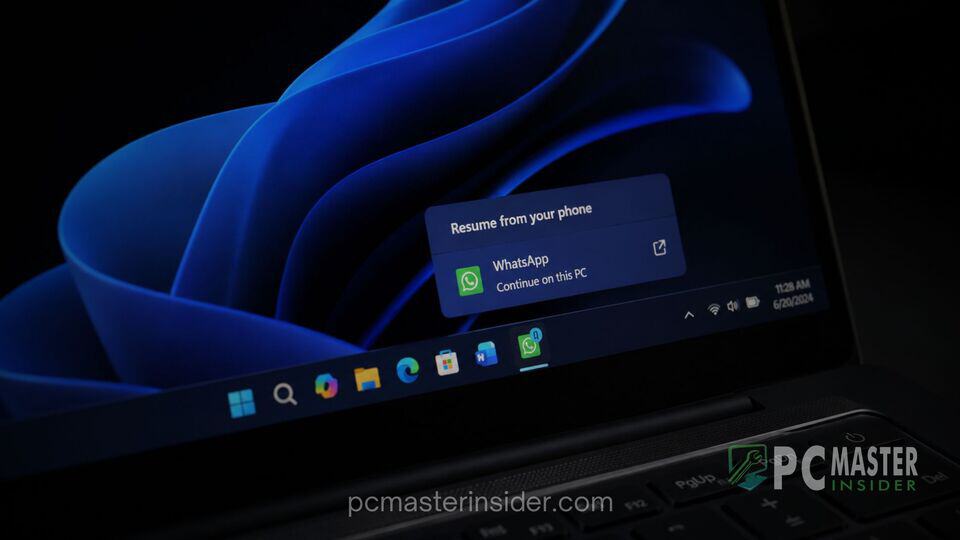
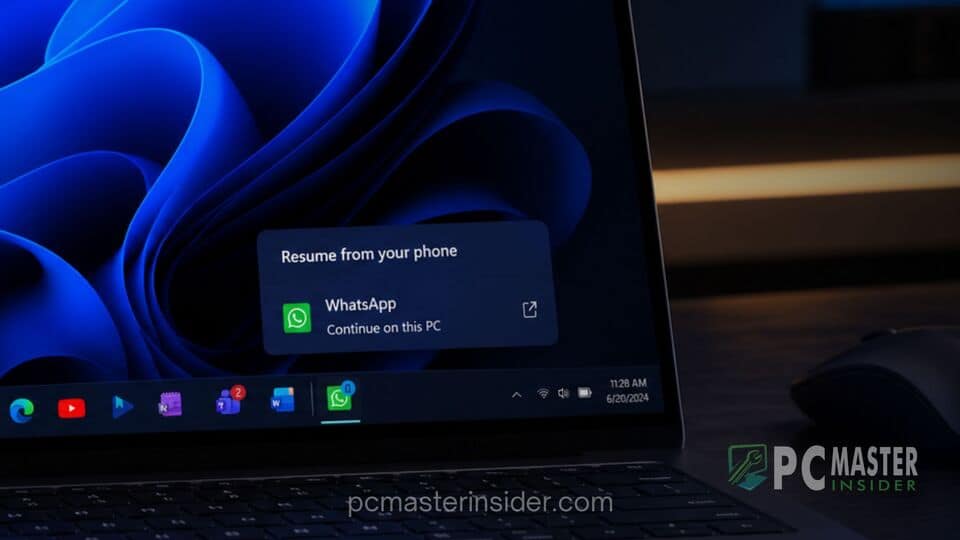
The mechanics of the cross-device feature rely on real-time activity detection between linked hardware. When an incoming WhatsApp notification arrives on an Android device, Windows 11 registers the interaction through background services. A special WhatsApp icon, accompanied by a small phone emblem and a vertical divider line, appears on the system taskbar.
Hovering over the taskbar icon displays a preview card reading "Resume from your phone" alongside a "Continue on this PC" button. Clicking this alert prompts Windows 11 to launch the desktop WhatsApp application and load the corresponding chat window. This eliminates the need to scan QR codes or open the desktop application manually every time a workflow transition takes place.
System Requirements and Platform Integration
To access the cross-device handoff capabilities, users must meet specific software and configuration requirements across both devices:
- Operating System: A PC running Windows 11 and an Android phone operating on Android 10 or higher.
- Connectivity: Both devices must be connected to an active internet network.
- Link Configuration: The Android phone must be linked to the PC using the Link to Windows application and configured under Mobile Devices within Windows Settings.
- Application Version: An updated version of the official WhatsApp desktop app installed from the Microsoft Store.
Android Link and Notification Setup
The feature functions through the core Windows 11 Mobile Devices settings framework, which coordinates background communications between PC components and mobile software. Users can manage or toggle cross-device permissions directly by navigating to Settings, entering the Apps section, and adjusting the Resume preferences. If prerequisite applications and permissions are already active, the feature automatically enables itself without requiring complex manual configuration.
User Performance Impact and Resource Usage
While the functionality streamlines cross-device workflows, early technical feedback highlights potential performance bottlenecks tied to the desktop application itself. The current WhatsApp for Windows client utilizes a web-based framework reliant on Microsoft's WebView2 architecture. As a result, launching the desktop app via the taskbar handoff prompt can involve a noticeable delay as the application initializes background scripts and syncs message history.
Additionally, web wrapper applications typically demand higher memory resources compared to fully native desktop software. Modern Windows 11 installations running WebView2 instances of WhatsApp can see fluctuating RAM consumption during heavy messaging sessions or media downloads. System administrators and power users may notice temporary increases in resource usage when triggering the handoff shortcut on mid-range hardware.
Future Expansion of Windows 11 Cross-Device Features
The introduction of WhatsApp handoff support represents the next phase in Microsoft's strategy to enhance cross-platform connectivity. The company previously implemented similar taskbar Resume options for services such as Spotify, Microsoft OneDrive, and select mobile web browsers. By opening these system-level APIs to third-party communication tools, Microsoft continues to narrow the functional gap between desktop and mobile platforms.
As cross-device handoff capabilities evolve, further optimizations to app startup times and platform integrations are expected. For now, Windows 11 users with Android phones can take advantage of the new shortcut to maintain continuous messaging workflows across screens.