
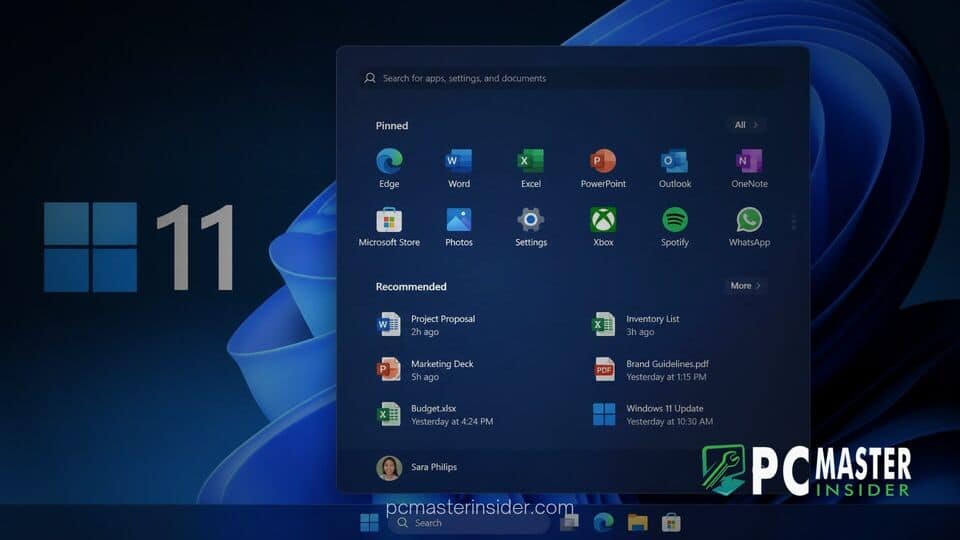
Microsoft has officially confirmed that its long-awaited Windows 11 Start menu overhaul will begin a wide public rollout starting next month. The upcoming release introduces flexible modular layouts, section-level controls, and enhanced user interface responsiveness.
The redesign enters general availability after months of preliminary testing within the Windows Insider Program. With this update, Microsoft aims to address persistent user feedback regarding layout rigidity and limited personalization settings in the core desktop interface.
Microsoft Confirms Upcoming Public Release for Revised Start Menu
Following extensive evaluation across preview channels, Microsoft announced that the revised Start menu interface has moved into the final stages of pre-release validation. The feature set is slated to arrive across supported devices as part of the upcoming monthly quality update package next month.
When Windows 11 launched, the centered layout and mandatory Recommended section generated mixed reactions from long-time desktop users. Over time, feedback highlighted the demand for greater autonomy over which elements occupy screen space. The approaching release represents one of the most substantial functional updates to the Windows interface since the launch of the operating system.
Final Release Preview Testing Begins Ahead of General Availability
The rollout phase officially began as Microsoft delivered the update to the Release Preview Channel. Testing in this ring allows the software developer to evaluate system stability and verify performance across diverse hardware configurations before the build reaches millions of general consumers.
During preview testing, telemetry data focused on ensuring high reliability and minimal system latency. Engineering teams centered their efforts on upgrading core shell components to WinUI 3, a transition intended to reduce interface lag and accelerate overall menu launch times.
Windows 11 Start Menu Redesign Public Rollout Brings Modular Layouts
The core focus of the update centers on user customization and modular flexibility. Rather than enforcing a static grid of pinned icons paired with automated file recommendations, the new architecture decouples the primary components into independent, customizable blocks.
In addition, the underlying navigation system has been refined to streamline daily workflows. By giving users direct authority over what appears when the Start button is pressed, Microsoft is pivoting away from forced content discovery in favor of user-chosen productivity tools.
Section Toggles, Resizing Options, and Profile Visibility
Among the key technical additions is a revamped Start settings page equipped with dedicated section-level toggles. Users can independently enable or disable major panels, including Pinned Apps, Recent Items, and the All Apps directory. Disabling non-essential sections transforms the interface into a minimalist launch bar containing only essential system power and search controls.
Furthermore, Microsoft has introduced modular sizing parameters. The interface can now be configured using small, large, or automatic sizing profiles. This allows users on ultra-wide desktop monitors to display expansive app grids, while tablet and laptop users can choose compact viewports to save screen real estate. The update also adds refined privacy controls, enabling users to hide personal profile details and recent activity logs from the main view.
Impact on Windows 11 User Experience and Rollout Timeline
The public distribution strategy will follow Microsoft's phased deployment model. Initial deployment will focus on systems running the latest versions of Windows 11, with availability gradually broadening across enterprise and consumer devices throughout the month.
Industry analysts note that this layout shift reflects a broader strategy by Microsoft to make Windows 11 feel more adaptable to different hardware form factors. Early feedback from preview participants highlights the improved responsiveness and cleaner visual hierarchy as significant improvements for power users.
As the scheduled deployment date approaches next month, users can check for the update through the standard Windows Update interface under System Settings. Once installed, the new customization preferences will be accessible directly within the Personalization settings sub-menu.



