
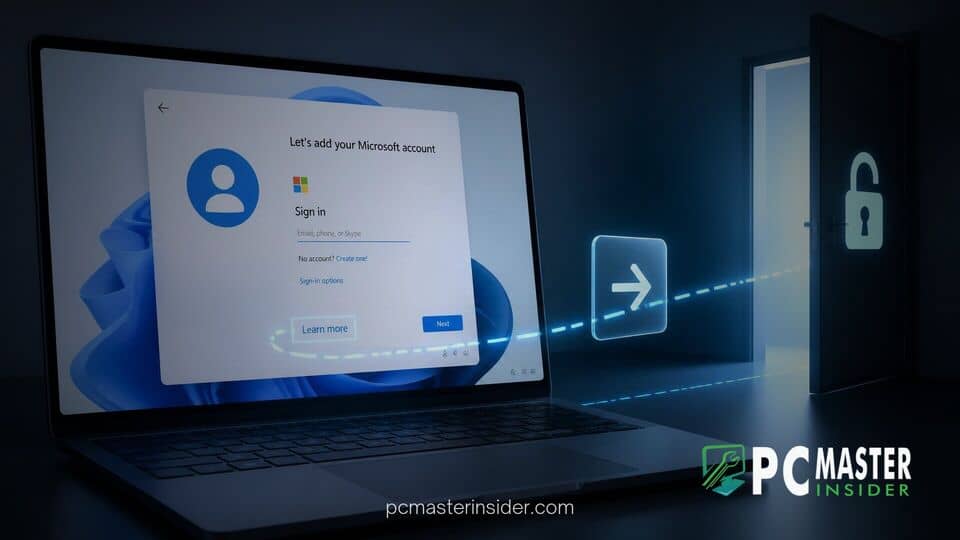
A newly uncovered vulnerability within the Windows 11 initial setup process allows users to skip the mandatory Microsoft account requirement with surprising ease. Rather than requiring complex terminal commands, registry modifications, or custom boot media, the workaround relies entirely on clicking a basic informational link built directly into the installer interface.
This discovery comes at a time when Microsoft has been aggressively closing alternative setup pathways. For privacy-conscious users and system builders, the unexpected flaw provides a quick route to setting up a local user profile without handing over cloud credentials or relying on command-line tricks.
Simple Learn More Link Bypasses Windows 11 Account Requirement
The discovery revolves around the Out-of-Box Experience (OOBE) wizard that runs during a fresh installation of Windows 11. When users reach the prompt titled "Let's add your Microsoft account," clicking a unassuming link labeled "Learn more" unexpectedly triggers a fallback setup path. Instead of opening an external help document or informational overlay, the wizard redirects the user straight to the standard local account creation page.
Unlike previous workarounds that required users to disconnect their internet connection, run scripts, or enter invalid email addresses, this method functions while the computer remains fully connected to the network. Users do not need to open a Command Prompt window using the Shift + F10 shortcut, making the process accessible to everyday consumers who prefer local account management.
How the OOBE Setup Workaround Functions
The Out-of-Box Experience relies on web-based components and webview screens to render setup pages dynamically. During the initial wizard flow, the sign-in screen presents various choices, including security policies and terms of service. When a user selects the "Learn more" link, the underlying script appears to encounter a navigation handler exception or fallback rule designed to prevent setup loops.
Rather than failing gracefully or keeping the user locked on the sign-in requirement, the wizard drops directly into the offline account provisioning screen. From there, the system prompts for a traditional local username and password, allowing setup to complete normally. This oversight highlights how legacy UI handling inside Microsoft's setup environment can create unintended paths around enforced policy requirements.
Comparison with Blocked Microsoft Account Bypasses
Over recent years, Microsoft has systematically closed nearly every widely published workaround for avoiding account creation. Earlier methods, such as using the oobe\bypassnro console command, forced the system to reboot and offer an offline setup option. However, recent Windows 11 updates have progressively limited these commands or stripped out the offline options entirely on specific builds.
Similarly, popular shortcuts like executing the direct URI command start ms-cxh:localonly in a terminal window have seen patchy reliability in newer media builds. Other traditional tricks, such as entering locked email addresses like "[email protected]" to trigger an error screen, have also been patched out server-side. While toolkits like Rufus remain popular for modifying ISO files prior to installation, finding an unpatched native mechanism inside the official installer is increasingly rare.
The contrast between Microsoft's sophisticated efforts to block command-line bypasses and the presence of a simple clickable link has amused many in the tech community. While power users relied on command-line utilities and registry entries, a basic webview link sat in plain sight on the main sign-in screen.
Potential Fixes and Impact on Windows 11 Setup
Microsoft has consistently maintained that forcing a cloud account during setup ensures better security, automated cloud backups, and seamless integration with services like OneDrive and Microsoft 365. As a result, the software giant is highly likely to address this configuration flaw in an upcoming cumulative update or setup media refresh.
Because the setup wizard fetches web components during active network installations, Microsoft could potentially patch this behavior on its servers without requiring a full operating system update. Once updated, clicking the link would simply open the intended help screen or keep the user anchored to the sign-in page.
For now, the loophole remains one of the easiest ways to install the operating system without providing personal credentials. Users who prefer offline accounts or need to set up isolated virtual machines for testing can utilize this simple click sequence while it lasts. Microsoft has not issued an official comment regarding when a permanent patch for the setup wizard will be deployed.



