
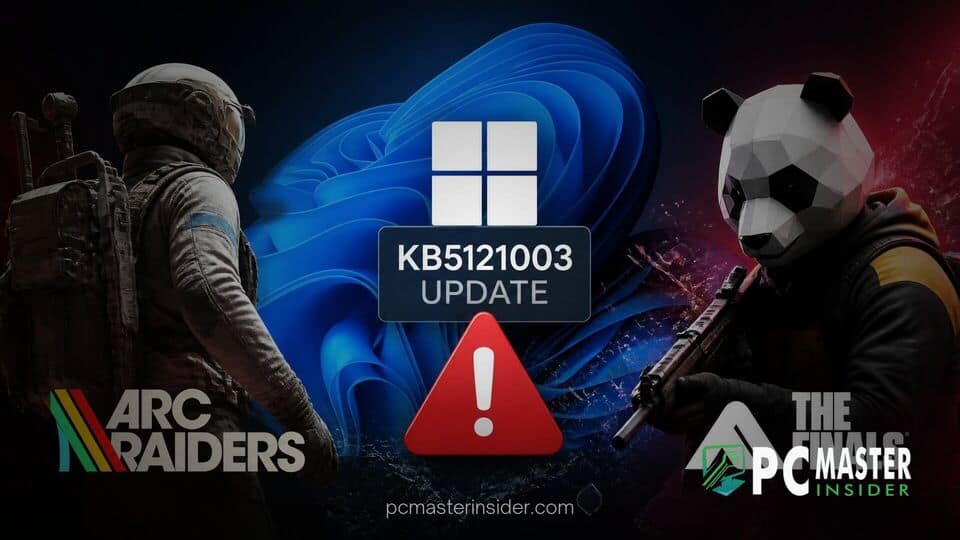
Windows 11 users are reporting fresh stability problems after installing update KB5121003, with crashes affecting both ARC Raiders and The Finals.
Embark Studios has acknowledged the issue and says it is working on a longer-term fix, while players circulate temporary workarounds to restore playability.
Windows 11 KB5121003 Triggers Game Crashes
A growing number of PC players say Microsoft’s August 2026 Windows 11 security update, KB5121003, is causing repeated crashes in Embark Studios titles ARC Raiders and The Finals. Community posts appearing over the past several days describe games closing to the desktop, freezing during matches, and in some cases triggering full system restarts after the patch was installed on Windows 11 machines.
Embark has publicly confirmed that it is aware of a new crash introduced with KB5121003 and says it is investigating the matter. Players have also been sharing temporary fixes while waiting for a permanent solution. A community post on the ARC Raiders subreddit includes Embark’s message regarding the problem and its temporary workaround.
Embark Studios Confirms Issues in ARC Raiders and The Finals
The reports appear to center on systems that were stable before Microsoft’s latest cumulative update and began experiencing problems after the August Patch Tuesday rollout. Windows Central reported on Microsoft’s August 2026 Windows 11 rollout, while players on Reddit and other support channels began drawing a connection between KB5121003 and sudden instability in Embark’s games.
In one of the clearest acknowledgments so far, an Embark message shared through community channels said the studio was aware of “a new crash introduced with the release of a Windows update (KB5121003)” that could be affecting players. The studio said it was working toward a long-term fix while providing a temporary workaround intended to remove the problematic file involved in the crash path.
That response has become the main reference point for affected users while they wait for a permanent patch from Embark, Microsoft, or both. More details about the temporary solution can be found in the community discussion containing Embark’s workaround.
Impacted Games and Reported System Symptoms
So far, the issue is most frequently tied to ARC Raiders and The Finals, two games developed by Embark Studios. Players say the symptoms vary between systems and gaming sessions. Some report crashes during launch, while others can enter a session only for the game to close or freeze during gameplay.
Several reports also mention access violation errors, hangs, display freezes, and full PC restarts. While community reports do not constitute a formal diagnostic record, the consistency of the timing has made KB5121003 the focus of many troubleshooting efforts. Similar experiences have been documented by players in The Finals community discussion about the crashes.
One reason the issue gained attention quickly is that both games were reportedly working normally for many affected users before the Windows update was installed. Posts from players repeatedly describe crashes beginning on or shortly after August 11 and August 12, 2026, around the release window for the latest Windows 11 security update.
Some users suspect that the conflict could involve anti-cheat software or other low-level system interactions. However, this remains a community theory rather than a confirmed technical explanation from Microsoft or Embark Studios.
Workarounds and Troubleshooting Options for Gamers
For now, the most common short-term responses fall into two categories: applying Embark’s temporary workaround or uninstalling KB5121003 through Windows Update history.
According to Embark’s message shared by the community, a workaround can remove the file associated with the crash and allow affected users to play without encountering the same behavior. The instructions and Embark’s original message are available through the ARC Raiders community post documenting the workaround.
Separately, some players report that rolling back KB5121003 stops the crashes. However, uninstalling a current Windows security update can remove important security fixes, so users should consider the security implications before choosing that approach.
Users who do not want to remove the Windows update may prefer to wait for a game-side patch or an official Microsoft mitigation. In the meantime, standard troubleshooting steps such as verifying game files, updating GPU drivers, checking for BIOS and chipset updates, and reviewing crash logs may help rule out unrelated hardware or software problems.
Those steps are not confirmed fixes for this specific KB5121003 issue, but they remain part of the usual troubleshooting process for persistent PC game instability. Embark’s support documentation for The Finals also provides guidance for diagnosing game startup and loading problems.
Microsoft’s August 2026 Windows 11 Update
Microsoft’s August 2026 Windows 11 release is part of the company’s regular monthly servicing cycle. Microsoft tracks newly reported Windows problems through its release health system, investigates confirmed issues, and can publish mitigations or Known Issue Rollback measures when necessary.
The company has used these mechanisms for previous Windows 11 update conflicts involving compatibility and device behavior. Users can follow current servicing problems through Microsoft’s official Windows release health documentation.
At the time of the reports referenced here, the KB5121003 gaming problem had surfaced through player reports and Embark’s acknowledgement, but it had not yet been clearly identified as a formal Microsoft known issue.
That does not necessarily mean the reports are inaccurate. The issue may still be under investigation, may affect only a limited subset of systems, or could involve compatibility between Windows and third-party software. Microsoft’s release health process also allows certain problems to be addressed in cooperation with external software or hardware partners.
When Could a Permanent Fix Arrive?
There is currently no confirmed date for a permanent fix. Embark says it is working on a long-term solution, while Microsoft has not publicly detailed a game-specific resolution for the issue.
A fix could potentially arrive through an update to ARC Raiders or The Finals, a Windows-side mitigation, or a future cumulative update addressing the underlying compatibility problem. Until a permanent solution is confirmed, affected players may need to rely on Embark’s temporary workaround or carefully consider whether rolling back KB5121003 is appropriate for their systems.
For now, KB5121003 has emerged as a common factor in crash reports involving ARC Raiders and The Finals on Windows 11. With Embark acknowledging the problem and users continuing to document similar symptoms, attention will likely turn to whichever permanent solution arrives first: a developer patch, a Microsoft mitigation, or a combination of both.



