
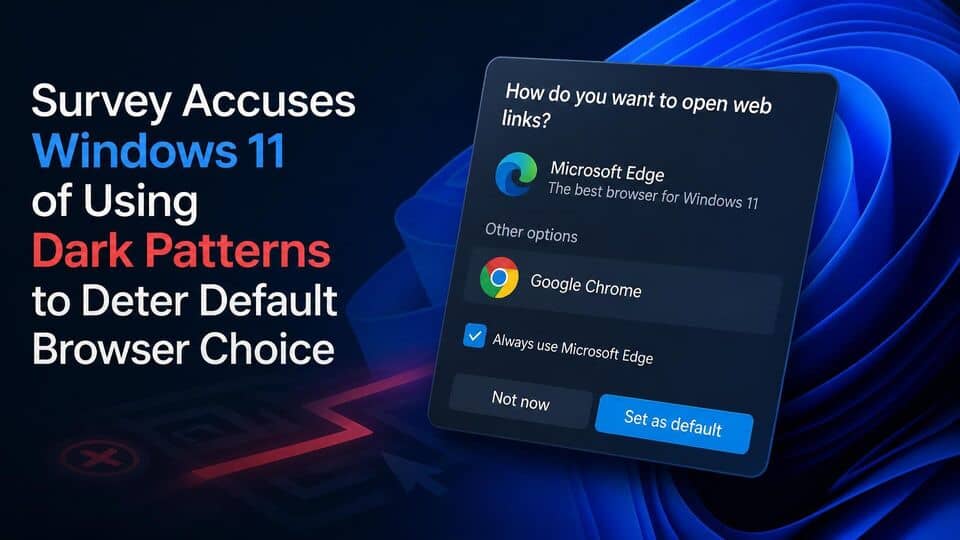
A recently published industry study highlights ongoing friction points within Windows 11, alleging that Microsoft actively discourages users from adopting alternative web browsers through deceptive user interface elements. The research demonstrates that subtle UI barriers and persistent system prompts make configuring third-party browsers significantly harder than necessary for everyday consumers.
According to findings released in conjunction with consumer feedback surveys, software design choices inside Windows 11 push users toward Microsoft Edge while complicating the process of establishing competitors as system defaults. Industry observers suggest these friction-heavy design choices negatively impact consumer freedom and reduce fair competition across the desktop ecosystem.
Windows 11 Dark Patterns Browser Choice Issues Highlighted in New Findings
The core of the issue centers on how operating systems communicate with users during everyday setup routines. Researchers and advocacy bodies report that Windows 11 relies on visual nudges, layered prompts, and complex settings menus that systematically favor native services over third-party applications. These design techniques, often categorized as dark patterns, are specifically engineered to manipulate or steer user behavior toward a preferred outcome without offering clear or direct choices.
Data gathered from user testing and feedback pools reveals that setting a third-party browser as the default often requires navigating multiple system dialogs. When consumers attempt to download or launch a competitor such as Google Chrome, Mozilla Firefox, Vivaldi, or Opera, the operating system routinely presents prominent pop-ups praising the performance, battery efficiency, and security features of Microsoft Edge. These nudges often require extra clicks to bypass, creating artificial friction meant to retain users within the native software ecosystem.
Browser Choice Alliance Survey Highlights Anti-Competitive Windows Tactics
The research, highlighted by groups including the Browser Choice Alliance, provides a detailed look into the specific mechanics that limit user autonomy on desktop PCs. Data collected across thousands of general computer users indicates that a significant portion of consumers abandon the process of changing their default browser due to confusing prompts or fears that altering settings might compromise system stability or security.
Advocates point out that while setting defaults on older operating systems involved a straightforward, single-click confirmation, modern updates have broken down default settings into individual file protocols and extensions. Although Microsoft has streamlined portions of this process in recent cumulative updates, researchers note that secondary system links, widget feeds, and search queries initiated from the Windows taskbar often continue to ignore user defaults entirely, launching inside Microsoft Edge instead.
Dark Patterns and Obstructive UI Elements Detailed in Research
The study outlines several recurring design tactics that interfere with a neutral user experience:
- Confirmation Nagging: Displaying secondary dialog boxes asking users if they are sure they want to switch, often placing the cancel or keep default option in a more visually prominent color.
- In-App Promotional Banners: Inserting system-level banner ads within Windows Search and native settings menus that promote Microsoft Edge directly above competitor download links.
- Protocol Hardlinking: Forcing specific web links embedded in system apps, such as news widgets or help panels, to open strictly in Edge regardless of user-selected system defaults.
- Post-Update Prompts: Re-engaging users after major operating system updates with full-screen setup menus that encourage resetting system defaults back to recommended Microsoft configurations.
Impact on Competing Web Browsers and User Autonomy
Independent software developers argue that these recurring interface hurdles create an uneven playing field. Because web browsers serve as the primary portal to web apps, cloud storage, and integrated artificial intelligence tools, controlling the default browser allows operating system vendors to retain tight control over valuable user engagement and search data.
Competing vendors highlight that dark patterns disproportionately harm users who lack technical expertise. While tech-savvy users easily navigate through multi-layered settings menus to configure their preferred software, average consumers frequently succumb to default bias, accepting system recommendations out of convenience or confusion.
Microsoft Response and Evolving Regulatory Pressure
Microsoft has historically defended its user interface decisions, maintaining that Edge is uniquely tailored to provide the best performance, security, and integration with the Windows operating system. The company has noted that Windows 11 users retain complete freedom to download and install any software of their choice and that system prompts are designed to inform users of native security features.
However, global regulatory scrutiny surrounding self-preferencing and dark patterns continues to intensify. Legislation such as the European Union's Digital Markets Act has already forced tech giants to adjust platform behaviors within specific regions, resulting in dedicated choice screens and simplified default toggles for users in the European Economic Area. Consumer advocacy groups argue that these open choice mechanisms should be implemented universally, rather than restricted to regions with active legal enforcement.
As regulatory bodies in the United Kingdom, the United States, and Asia increase oversight of big tech software bundling, researchers hope that public surveys and technical disclosures will accelerate changes toward transparent software choices for all desktop users.



