
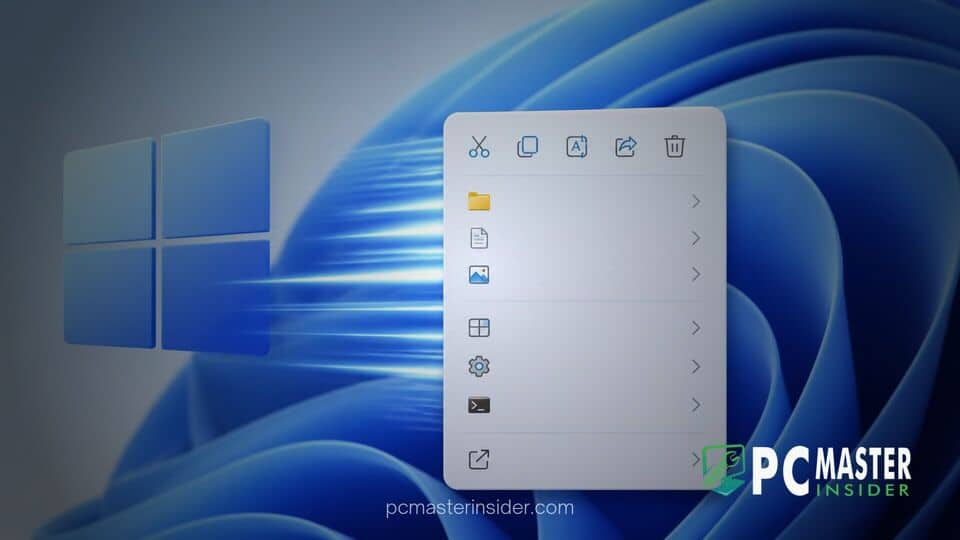
Microsoft is rolling out a significant update to the Windows 11 context menu designed to address persistent user complaints regarding slow performance and interface clutter. The overhaul introduces a streamlined layout alongside new built-in settings that allow users to customize their right-click commands directly.
The redesign aims to make basic file interactions instant by re-architecting how shell extensions and third-party context items are loaded into File Explorer. Early previews demonstrate a lighter, more compact menu structure alongside options to tailor which commands remain visible.
Windows 11 Context Menu Redesign
The latest updates to the Windows 11 context menu redesign target long-standing performance bottlenecks caused by third-party app extensions. Since the launch of Windows 11, opening the right-click menu in File Explorer has sometimes resulted in noticeable delays, as the system waited to compile commands from external software. The redesign mitigates this lag by defaulting to a compact menu that prioritizes essential actions while insulating the core interface from resource-heavy app hooks.
Windows 11 Context Menu Overhaul
This comprehensive Windows 11 Context Menu Overhaul forms a core part of Microsoft's broader Windows K2 engineering initiative, which focuses on optimizing system responsiveness, user interface consistency, and File Explorer reliability. Rather than relying on legacy registry tweaks or third-party menu tools, the update brings native controls for managing shell entries. Standard commands such as Cut, Copy, Rename, and Delete remain readily accessible, but overall menu weight is drastically reduced.
Performance and Clutter Improvements
By default, the new context menu layout filters out unnecessary third-party extensions during initial rendering, delivering virtually instantaneous load times when right-clicking files, folders, or desktop background space. Users who require access to secondary commands can still expand full option lists using keyboard shortcuts such as Shift and right-click. File Explorer also sees the restoration of widely requested native features within the modern menu, including a dedicated Refresh option.
New Customization and Settings Options
A central feature of the overhaul is a dedicated Context Menu configuration section integrated directly into the Windows 11 Settings app. This interface allows users to toggle specific app extensions, organize primary file commands, and adjust OneDrive cloud options to fit their personal workflows. Users can also access a Customize link directly from the bottom of the right-click menu, making it easy to show or hide contextual items without modifying system files or diving into the Windows Registry.
Rollout and Insider Availability
The new context menu improvements are currently being tested within experimental Windows Insider preview builds. Microsoft has indicated that development remains ongoing as engineers collect feedback regarding stability and UI responsiveness. While a firm release schedule for all end users has not been officially confirmed, the updated right-click experience is expected to roll out broadly in upcoming feature updates to Windows 11.
With these structural changes, Microsoft addresses one of the most visible daily pain points in Windows 11, establishing a cleaner foundation for desktop file navigation and performance consistency.



