
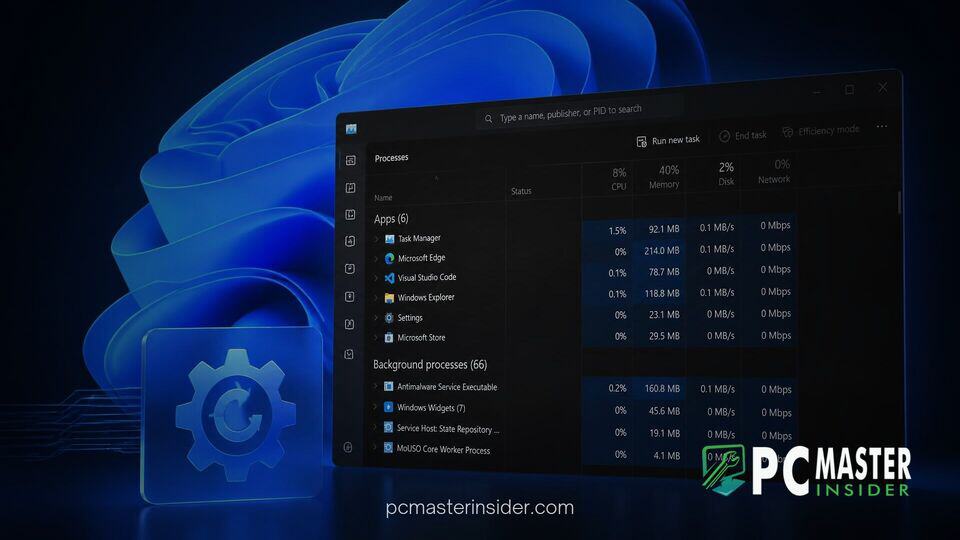
Microsoft has officially released a new preview build for early testing channels, packed with visual refinements, system utility updates, and important reliability fixes . The patch focuses on modernizing core desktop tools while ensuring a smoother installation process for users enrolled in preview testing programs .
Alongside underlying security tweaks, this preview release delivers functional enhancements to everyday interfaces like Task Manager and Windows Search . The update also addresses several long standing installation errors that previously blocked system maintenance updates .
Microsoft Releases Windows 11 Insider Build 26340.9616
Microsoft has deployed preview build 26340.9616 as part of its ongoing maintenance cycle for future Windows 11 releases . Delivered via an enablement package, this update serves as a testbed for key user interface changes and background quality improvements . The release emphasizes better system transparency and improved error resolution for power users and administrators.
As part of its ongoing effort to modernize core system tools, Microsoft has continued to refine the desktop experience in tandem with larger architectural initiatives . While recent platform shifts focus heavily on system footprint and underlying kernel adjustments, builds like this demonstrate a dual focus on everyday utility management and stability fixes . Previous platform updates, such as those that lower desktop RAM consumption, highlight how incremental releases build toward a more efficient operating system.
Task Manager NPU Monitoring and Resource Tracking Refinements
Upgrading Task Manager with the Windows 11 Build 26340.9616 Update
The headline operational change in this build revolves around Task Manager and how the system categorizes background software operations . Microsoft is expanding process grouping within Task Manager, allowing complex applications to group separate, non-traditional background tasks into a single unified category . Previously, Task Manager relied almost entirely on traditional parent-child process trees, which often scattered helper processes across the monitoring window .
By consolidating related background operations, users gain a clearer picture of an application's total system footprint, including CPU, memory, and disk demands . Microsoft Defender is the first integrated program to utilize this advanced process grouping model, paving the way for third-party software developers to adopt similar categorization standards in the future . For power users troubleshooting hardware bottlenecks, such as resolving high CPU usage from System Interrupts, clearer process hierarchies reduce diagnostic overhead significantly.
In addition to process hierarchy improvements, Microsoft is continuing to refine hardware telemetry within Task Manager . Neural Processing Unit (NPU) tracking and specialized accelerator monitoring receive layout optimizations designed to give real-time visibility into AI workload distribution . This fits into Microsoft's broader strategy of unifying system monitoring tools across diverse hardware architectures.
Key Bug Fixes for Windows Update and Security Sign-In
Beyond task management tools, this preview release resolves critical system issues that previously impacted update deployment and user authentication . A primary fix targets Windows Update itself, specifically addressing an issue where users running Windows Sandbox encountered error code 0x80073712 when attempting to install the latest build updates . The patch ensures component store integrity during updates on virtualized environments.
The update also delivers security authentication refinements . Microsoft has enabled IAKerb protocol extensions by default across client installations . This modification improves authentication reliability when domain controllers are not directly reachable, helping transition corporate and managed environments away from older NTLM protocols .
Furthermore, the security key sign-in interface has been streamlined . The PIN entry screen now features an updated layout, while legacy UI clutter, such as the redundant Other User icon, has been removed to reduce friction during hardware security key logins . These fixes align with previous engineering endeavors, such as efforts to patch local account bypass loopholes, reinforcing system security standards.
Deployment Channels and Known Testing Issues
Build 26340.9616 is currently being distributed via Controlled Feature Rollout (CFR) mechanisms to users on preview channels . Because features are enabled gradually, not all enrolled devices will immediately display every interface change upon initial installation . System administrators and testers can manually check for pending updates through the Settings menu to trigger package retrieval .
As with most pre-release software, Microsoft notes that testing builds may exhibit localized quirks or unexpected behavior depending on hardware configurations . Development teams continue to analyze feedback submitted via the Feedback Hub before rolling these capabilities out to broader retail releases . Broad ecosystem stability remains a priority, especially as hardware partners release companion software updates, like the latest Intel GPU driver compatibility updates, to ensure full alignment across driver suites.
With build 26340.9616, Windows 11 takes another step toward refining core diagnostic utilities and eliminating persistent installation bugs . By modernizing Task Manager process trees and resolving Sandbox update errors, Microsoft continues to sharpen overall platform performance . Users participating in preview testing can download the package today through Windows Update .



