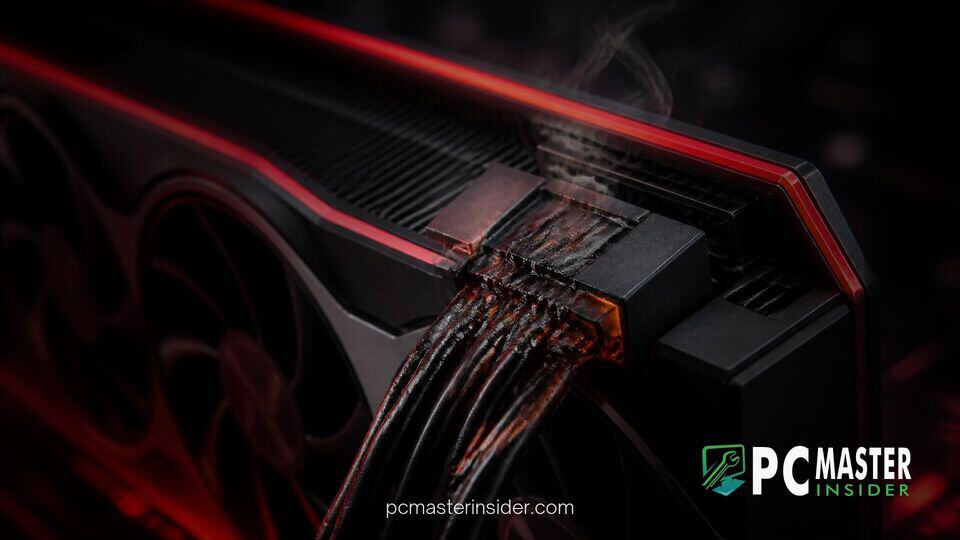
A custom PC builder reported that a Thermal Grizzly WireView GPU power monitoring adapter suffered severe melting while connected to an AMD Radeon RX 7900 XTX graphics card. The incident has caught wide attention in the hardware community because it involves traditional 8-pin PCIe connectors rather than the controversial 12VHPWR high-power standard.
Reports of melting power connectors have mostly centered on modern NVIDIA cards utilizing dense 16-pin power connections. However, this rare breakdown shows that traditional power delivery accessories can still experience localized thermal degradation when electrical resistance spikes.
Thermal Grizzly Wireview Melted RX 7900 XTX Setup
The issue surfaced on social media after user AwarenessHour9192 shared pictures of burnt 8-pin PCIe power ports on the German PC Baumeister subreddit. According to the user, the custom system experienced ongoing stability issues, including sudden black screens and system freezes over several months. After troubleshooting various software causes, physical inspection revealed that the 3x8-pin WireView monitoring adapter had melted directly at the interface where it plugs into the graphics card.
Thermal Grizzly designed the WireView device as an inline hardware tool that measures power consumption, voltage, and current delivered to graphics cards. While many enthusiasts use it for precise hardware monitoring, the added mechanical interface introduces extra contact points between the power supply unit cables and the graphics card PCB.
Thermal Grizzly WireView Fails on 8-Pin Radeon RX 7900 XTX
Unlike 16-pin 12VHPWR cable failures that made headlines during recent GPU generations, traditional 8-pin PCIe power connectors carry lower current density per pin and are generally considered highly reliable. While community members often follow GPU news like custom power modifications on high-end GPUs, failures on 8-pin setups remain extremely uncommon.
Interestingly, the affected user noted that the graphics card was operating with a conservative power profile and undervolt, keeping total power draw below 300 watts. Despite the moderate power target, heat built up at the connection point until plastic housings melted and pins suffered physical heat damage.
Details of the Adapter Failure and Connector Damage
Images shared by the user show severe scorching around the 8-pin female power receptacles on the WireView adapter and adjacent male plugs. The melting concentrated at specific high-current pins, indicating localized thermal runaway rather than an overall power overload across the entire board.
Thermal Grizzly support representatives and founder Roman "der8auer" Hartung responded directly to the user's report. The company requested the damaged hardware for detailed laboratory analysis to determine whether the fault originated from manufacturing tolerances, pin alignment, or incomplete terminal engagement.
Why Standard 8-Pin Connectors Can Still Suffer Thermal Failures
Electrical engineers point out that any electrical connection can overheat if contact resistance increases significantly. High resistance converts electrical energy into heat at the junction point. In high-current applications like high-end graphics cards, even a small increase in resistance at 12-volt supply terminals can generate intense localized heat.
Factors that contribute to increased contact resistance include:
- Incomplete seating of male and female terminal pins.
- Physical displacement caused by heavy power cables pulling at right angles.
- Slight manufacturing variations in pin spring tension or plating thickness.
- Mechanical interference with aftermarket water blocks or custom backplates.
Thermal Grizzly previously highlighted installation considerations for WireView adapters, noting that custom backplates or tight clearance near the GPU PCB can prevent the device from latching completely flush. If latching mechanisms do not fully engage, contact surface area drops, leading to thermal stress over time.
Safety Precautions for High-Draw GPU Power Connections
While incidents involving 8-pin PCIe connectors remain isolated, PC builders should take precautions when managing high-wattage components. Users monitoring system performance, such as those tracking per-chip VRAM thermals in HWiNFO, should also inspect physical power connections during routine maintenance.
To minimize risk when installing high-draw GPU power accessories:
- Ensure all power cables and intermediate adapters click firmly into place without gap spacing.
- Avoid putting heavy bending stress or tension on power cables near the plug header.
- Check for physical interference against GPU backplates, water blocks, or chassis frame parts.
- Inspect power connectors immediately if your system experiences unexplained crashing, black screens, or thermal throttling under load.
Thermal Grizzly's ongoing investigation into the damaged adapter should provide clearer answers regarding whether mechanical tolerance or environmental factors caused the breakdown. For now, the event serves as a helpful reminder that proper cable seating remains essential across all GPU power standards.