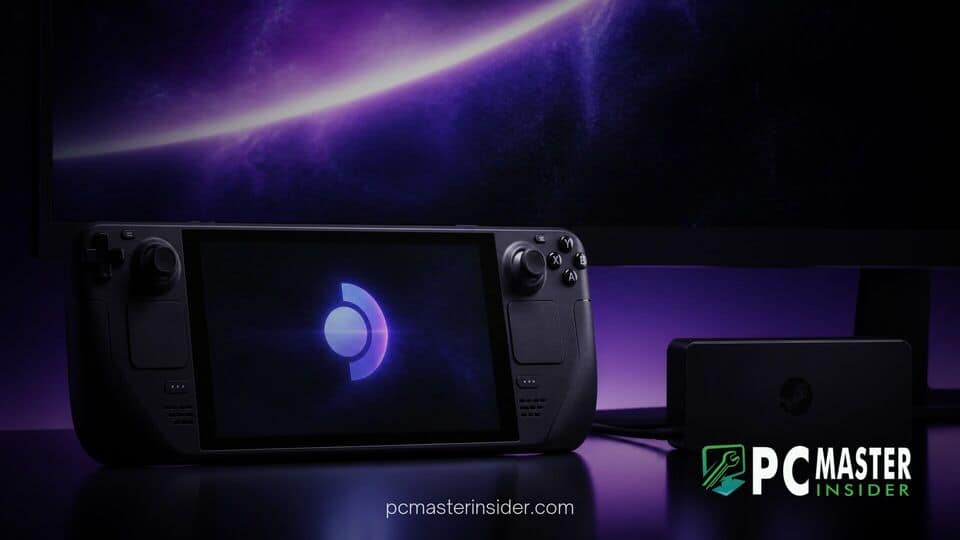
Valve has officially launched SteamOS 3.10.0 in the Preview testing channel, introducing a long-awaited suite of HDMI 2.1 display capabilities for devices running AMD graphics hardware. The early preview build transitions the operating system to Linux kernel 7.3 and upgrades the desktop environment to KDE Plasma 6.8.2, delivering smoother variable refresh rate behavior for living room setups and external monitors.
Gamers running SteamOS on external displays can expect reduced input latency and improved frame timing across supported high-bandwidth connections. The release also packs meaningful performance fixes for Nvidia hardware alongside system level bug squashing.
steamos 3.10 preview hdmi 2.1 vrr
The headline addition in the SteamOS 3.10 Preview is platform level support for HDMI 2.1 features on AMD graphics processors. This includes HDMI 2.1 Variable Refresh Rate (VRR), Fixed Rate Link (FRL) signaling, and Auto Low Latency Mode (ALLM). FRL provides the higher bandwidth pipeline needed for modern 4K resolutions at high frame rates, while ALLM enables compatible televisions to automatically trigger their lowest latency picture preset. Together with refined VRR handling, these additions deliver a significantly smoother living room gaming experience when docking portable hardware or running custom living room rigs.
Performance Improvements for AMD Graphics
Beyond opening up higher HDMI bandwidth channels, Valve has made critical changes to how Game Mode processes frames on external displays. The updated software improves frame timing consistency when applying the built in frame rate limiter in tandem with VRR. Interface flickering that previously occurred when navigating the Steam UI or leaving the menu idle on VRR displays has been minimized. Mouse cursor movement in Game Mode now dynamically matches the running title frame rate above 30 frames per second rather than spiking the monitor refresh rate directly to its maximum threshold.
These display stack improvements come shortly after major hardware developments across the PC gaming ecosystem, such as AMD releasing driver updates to fix Radeon crashes on desktop hardware. Valve notes a single known issue with the initial AMD HDMI 2.1 rollout: connected Dell G3223Q displays may currently fail to present a video signal.
Testing Dynamic Refresh Rates on Living Room Displays
Connecting PC hardware directly to 4K televisions has historically presented HDMI bandwidth bottlenecks on Linux based operating systems. With HDMI 2.1 VRR and FRL enabled in SteamOS 3.10 Preview, users can leverage dynamic sync ranges without screen tearing or severe display stutters. This makes docked handheld play far more viable on modern OLED televisions and high refresh rate displays.
The update also addresses specific color and tone mapping glitches in Game Mode. HDR overexposure caused by display scaling in titles like Control has been resolved, and frame flickering in games such as UBOAT has been corrected. Additionally, Valve implemented support for the Vulkan VK_EXT_present_timing extension, enabling tighter frame pacing synchronization between games and physical display hardware.
These visual upgrades arrive as player hardware shifts across the broader market, reflected in recent reports showing Linux market share climbing on Steam surveys alongside desktop graphics card shifts.
Compatible Monitors and System Requirements
To take full advantage of HDMI 2.1 VRR, fixed rate links, and low latency modes, players must use an HDMI 2.1 compliant display alongside ultra high speed HDMI cables rated for 48Gbps throughput. Devices featuring AMD Radeon graphics cards or integrated RDNA graphics architectures are eligible for the new HDMI features under SteamOS 3.10 Preview.
Nvidia hardware also gains noticeable attention in this update. Valve added support for Mesh Shaders on Turing architecture GPUs and newer, alongside general performance and stability fixes. Rendering corruption bugs in titles such as Shadow of the Tomb Raider and The Surge 2 have been resolved for Nvidia users.
On the desktop front, the transition to KDE Plasma 6.8.2 delivers a more responsive environment when operating outside of Game Mode. The desktop upgrade follows trends seen across alternative ecosystems, reminiscent of when GOG released its redesigned desktop application to streamline interface performance. General system stability has also been enhanced by fixing an erroneous slow charger alert and correcting Bluetooth audio dropouts when switching between desktop and game modes.
How to Access the SteamOS Preview Channel
Because SteamOS 3.10.0 is currently residing in the early Preview update channel, Valve advises that test builds may contain unforeseen bugs or stability hiccups. Gamers who rely on their devices for daily hassle free play may want to wait until the changes reach the Stable release branch.
Players interested in testing the latest display features can switch update channels directly through system settings:
- Press the Steam button and open the Settings menu.
- Navigate to the System tab.
- Locate System Update Channel and select Preview from the drop down menu.
- Allow the system to check for updates and apply the download.
- Restart the device when prompted to complete installation.
Users who encounter display bugs or system instability during preview testing are encouraged to submit bug reports to Valve through the official SteamOS issue tracker.
The SteamOS 3.10 Preview represents a significant leap forward for living room gaming on Linux based systems. By enabling native HDMI 2.1 VRR alongside Linux kernel 7.3, Valve continues to narrow the feature gap between handheld gaming consoles, dedicated home systems, and traditional desktop PCs.