
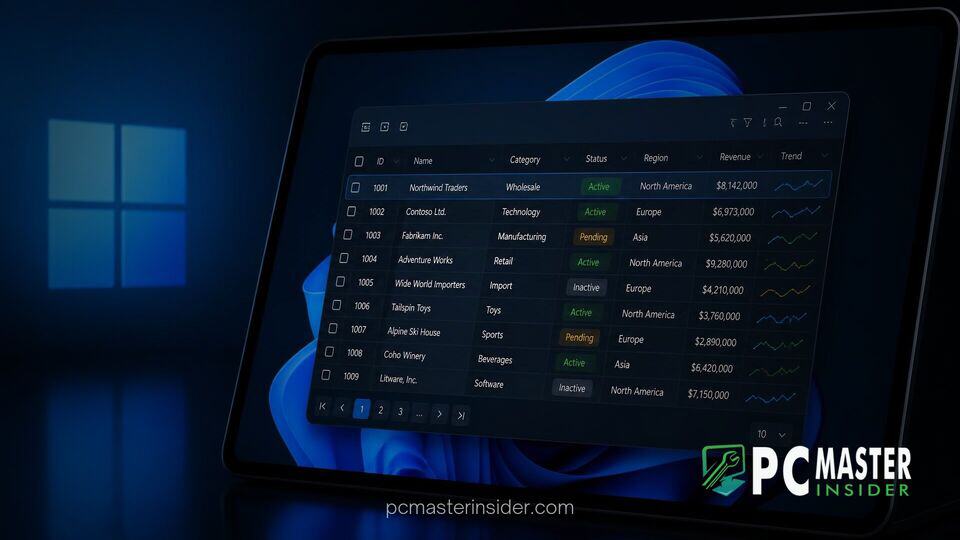
Microsoft is rolling out official, native DataGrid controls for WinUI, filling a multi-year gap in its flagship desktop development framework. The long-requested feature provides developers with a built-in UI component to render complex tabular data, interactive tables, and enterprise data sets natively inside Windows 11 applications.
For nearly a decade, developers migrating to modern UI stacks like WinUI 3 and the Windows App SDK lacked a first-party DataGrid control. The introduction of native tabular controls aims to make native desktop app development significantly more attractive, reducing the industry's heavy reliance on web-based wrappers like Electron.
Microsoft WinUI DataGrid Control Windows 11 Integration Explained
The addition of native microsoft winui datagrid control windows 11 tooling addresses one of the most vocal criticisms directed at Microsoft's modern UI architecture. DataGrid components allow users to sort, filter, paginate, and edit multi-column structured data. By integrating this capability directly into WinUI, developers no longer need to build custom list views or rely on third-party libraries just to show basic spreadsheets or dynamic tables.
Under the new implementation, developers can declare data grids directly in XAML with modern Fluent Design styling built in. The control supports virtualization, ensuring smooth performance when scrolling through thousands of database records. It also aligns with Windows 11 accessibility standards, featuring automatic dark mode adaptation, touch gesture handling, and native Narrator support.
WinUI Gains Native DataGrid Controls for Windows Developers
Prior to this update, developers building native desktop software for Windows 11 had to navigate a fragmented ecosystem. While legacy frameworks such as Windows Presentation Foundation (WPF) offered native DataGrid support out of the box, newer platforms like UWP and WinUI 3 left data-dense layouts unserviced at launch.
Developers who transitioned to WinUI 3 were forced to either adopt community-maintained projects like Windows App SDK enterprise tools or buy commercial UI suites. Microsoft's official guidance had long acknowledged the absence of a first-party WinUI DataGrid as a key migration gap. The release of native controls resolves this architectural disparity, bringing parity between legacy frameworks and modern WinUI desktop apps.
Addressing Tabular Data Limitations in Modern Windows Apps
Tabular layouts are fundamental to business applications, accounting software, system administration utilities, and database management tools. Standard controls such as ListView and GridView are designed for media cards or simple lists, making them ill-suited for dense, multi-column interaction.
By offering full support for inline editing, cell selection, column reordering, and customizable templates, the native WinUI DataGrid simplifies line-of-business application development. Developers can bind relational database entities to the grid control in C# using standard MVVM design patterns without writing custom layout algorithms.
Why Developer Framework Gaps Pushed Desktop Apps to Web Wrappers
The delay in delivering essential UI controls historically pushed many software teams away from native Windows APIs altogether. When building complex cross-platform enterprise tools, many companies turned to web technologies such as Electron, webview wrappers, or WebAssembly, citing missing native controls like DataGrid as a primary bottleneck.
While web wrappers allowed rapid development, they often led to higher memory consumption and slower startup performance compared to native desktop code. Microsoft's renewed focus on core UI infrastructure comes alongside broader platform optimizations, such as recent Windows 11 performance upgrades designed to improve system responsiveness and resource efficiency across low-end and enterprise hardware.
Software engineers have welcomed the move on developer forums, noting that missing foundational components had created unnecessary friction during app modernization projects. Community members emphasized that first-party maintenance guarantees long-term stability and smoother API compatibility across future Windows releases.
Impact on Future Native Windows 11 Software Development
The introduction of first-party WinUI DataGrid controls represents a critical step in Microsoft's efforts to consolidate its desktop application ecosystem. By equipping developers with essential data visualization tools out of the box, Microsoft is removing a major hurdle for enterprise migrations.
As native apps continue to adopt the Windows App SDK, native software development on Windows 11 is becoming increasingly streamlined. Developers can inspect upcoming WinUI updates through the official developer documentation and Microsoft UI XAML repository on GitHub.
Overall, bringing native DataGrid controls to WinUI strengthens the Windows desktop framework, ensuring developers can deliver fast, modern, and data-rich applications without relying on third-party workarounds.



