
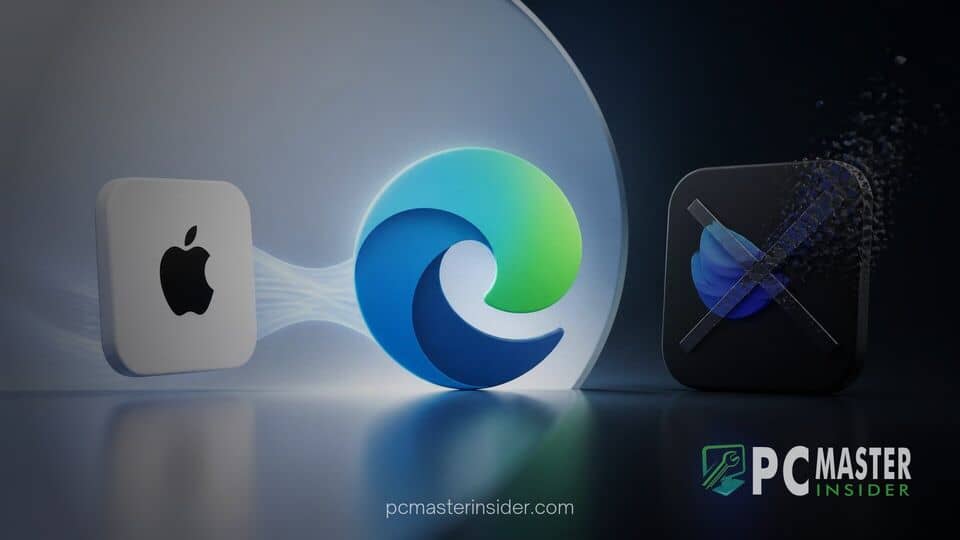
Microsoft has deployed a significant update to its flagship web browser, bringing structural refinements to profile authentication and cleaning up legacy features. The latest update focuses on expanding cross-platform flexibility for multi-device users while streamlining the core application footprint.
By offering expanded sign-in choices alongside updated protective measures, the company continues to reshape how users manage cross-device data while shedding tools that overlap with existing ecosystem services.
Microsoft Edge Update Apple Sign In Edge Drop Details
The latest build of Microsoft Edge introduces native support for Apple Account sign-in, enabling users to synchronize browser settings, saved credentials, and history across platforms using their existing Apple credentials. In tandem with this identity addition, Microsoft has officially retired Edge Drop, the built-in file and note sharing tool previously integrated into the browser sidebar. The release also deploys automated security enhancements designed to mitigate deceptive notification scams and unauthorized popup behaviors.
Microsoft Edge Adds Apple Account Sign-In and Anti-Scam Protection
The integration of broader identity federation marks a notable shift in how Microsoft manages browser profiles across different desktop and mobile operating systems.
New Sign-In Options for Windows and macOS Users
Users launching the updated browser can now choose to log in using an Apple ID alongside existing options for personal Microsoft accounts, Work/School Entra ID profiles, and Google accounts. This addition simplifies cloud synchronization for users operating in mixed environments, such as those navigating Windows PCs alongside iPhones or Mac workstations.
Integrating Apple Account authentication allows saved favorites, password vault entries, autofill information, and active extensions to sync smoothly across supported devices. The update addresses long-standing friction for multi-ecosystem users who previously relied on third-party password managers or secondary browser profiles to bridge Windows and Apple hardware. This shift follows broader industry moves toward flexible web sign-in options, similar to how GeForce NOW expands GOG single sign-on to simplify multi-platform access.
Automated SmartScreen Protection Against Scam Notifications
Security enhancements included in the build focus heavily on browser-based social engineering threats. Upgraded Microsoft Defender SmartScreen algorithms now automatically detect and block malicious web push notification requests before they reach the user. Fake system alerts, technical support scams, and deceptive popups targeting non-technical users are automatically flagged and suppressed.
When the browser encounters a website known for abusing push notifications to deliver scareware, access to the notification permission prompt is restricted. Enterprise administrators gain control over these defensive layers via unified endpoint management policies, protecting corporate devices from malicious drive-by consent prompts that could lead to credential harvesting or phishing schemes like the Mirage2FA phishing campaign hijacking Microsoft 365 accounts.
Official Retirement of Edge Drop and Video Translation
As part of ongoing maintenance to reduce software bloat and optimize system memory usage, Microsoft is trimming several secondary utilities from the browser interface.
Phasing Out Edge Drop File Sharing
Edge Drop, first introduced to provide a quick note-taking and file-transfer mechanism within the browser sidebar, is being systematically retired. Microsoft cited low telemetry usage and feature redundancy with native cloud storage applications like OneDrive and iCloud as primary reasons for deprecation.
Users who previously stored files or text snippets within the Drop panel are advised to migrate their content. While existing files stored in connected cloud folders remain accessible via standard file explorers, the dedicated interface panel inside Edge will cease functioning in upcoming servicing updates. This cleanup effort mirrors broader platform changes across the operating system, such as when Microsoft rebrands Microsoft 365 tracking features to align enterprise tools more closely with core product offerings.
Alongside the removal of Drop, experimental real-time video translation features previously trialed in preview builds have been paused. Engineering resources originally allocated to client-side media conversion are reportedly being redirected toward core performance, speed optimizations, and security hardening.
Admin Policies and Rollout Timeline
The updated features and feature deprecations are rolling out progressively across Stable channel distributions on Windows 10, Windows 11, macOS, and Linux. IT administrators managing corporate fleets can configure explicit group policies to control account sign-in methods, ensuring compliance with organizational identity governance frameworks. As Microsoft continues refining desktop software, enterprise environments often balance these browser updates alongside wider system changes, such as when Microsoft pushes Windows 11 updates to preview channels.
Organizations wishing to restrict third-party authentication can use specific policy controls to hide Apple Account sign-in prompts on managed endpoints. Similarly, registry keys are available to manage security push notification sensitivities for enterprise endpoints requiring custom network configurations.
Overall, this latest Microsoft Edge update highlights a pragmatic approach to browser maintenance. By adding Apple Account compatibility, strengthening automated anti-scam protections, and retiring low-adoption features like Edge Drop, Microsoft maintains a clean balance between functional utility and system efficiency for everyday web browsing.



