
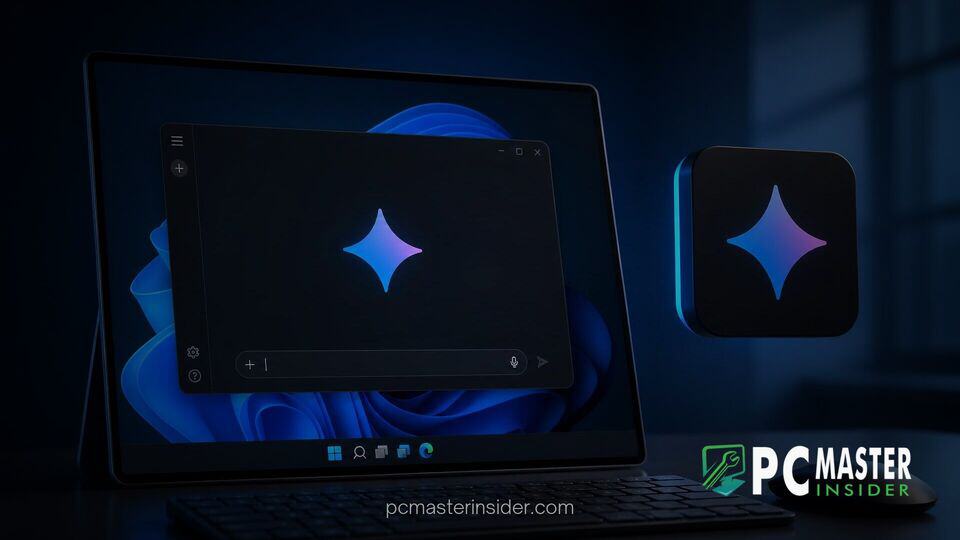
Google has officially released a standalone Gemini desktop application for Windows 11 and Windows 10 devices. The new software client provides users with instant access to Google's artificial intelligence models directly from the desktop without needing to keep a web browser window active.
Designed to sit quietly in the background, the app introduces system-wide keyboard shortcuts, deeper connections to productivity tools, and direct access to multimodal generation engines. The rollout expands Google's presence across desktop operating systems following its earlier launch on macOS platforms.
Google Launches Dedicated Gemini App for Windows PCs
The release of the standalone google gemini desktop app windows 11 and Windows 10 client brings native system integration to Google's primary generative AI platform. Rather than forcing users to navigate through browser tabs, the desktop client operates as an independent program with dedicated hotkey access. Users can trigger an overlay menu by pressing Alt + Space, allowing them to summarize documents, draft text, or verify information while continuing to work inside existing desktop software.
Google emphasized that the client was designed to maintain a low system footprint, preventing performance degradation on everyday desktop and laptop hardware. It offers a familiar interface containing a left navigation panel for managing past conversations, specialized creative workspaces, and quick settings toggles.
Key Features and Architecture Support
The desktop app incorporates several capabilities targeted at daily productivity and creative workflows. Key features integrated directly into the initial release include:
- Global Keyboard Shortcut: Pressing Alt + Space instantly opens a floating Gemini overlay above active windows.
- Google Workspace Integration: Connected extensions allow the assistant to pull information directly from Gmail, Google Drive, Docs, and Calendar to draft summaries and cross-reference research.
- Autonomous Task Execution: Subscribers can hand off multi-step tasks and continuous research projects to Gemini Spark, an AI agent system operating in the background.
- Multimodal Generation: The workspace provides native controls to produce high-resolution images via Nano Banana and generate synthetic video clips using Gemini Omni models.
- Notebooks and Organization: Users can bundle research materials, documents, and ongoing prompts into grouped desktop notebooks.
The software supports traditional 64-bit (x64) Windows systems as well as ARM64 hardware configurations. This broad support ensures compatibility with mainstream x86 processors alongside modern ARM laptops powered by Qualcomm Snapdragon platforms. While the app builds upon lightweight framework tech, initial user reports indicate minor optimization patches may be necessary for early adopters running specific ARM build builds.
Gemini Integration vs Built-In Windows 11 Copilot
The arrival of a dedicated Gemini app creates a direct rival to Microsoft's integrated Copilot environment on Windows. Microsoft has steadily embedded AI throughout its flagship operating system, offering features like native Copilot key remapping and platform-level productivity integrations across recent builds.
However, Google's desktop application targets users heavily invested in the Google Workspace ecosystem rather than Microsoft 365 services. By permitting the Alt + Space shortcut to summon Gemini instantly, Google provides an experience similar to existing launcher utilities like PowerToys Run or macOS Spotlight.
While Microsoft continues building deep operating system hooks, Google's cross-platform strategy ensures consistent user experiences across Windows, macOS, and web environments. The desktop app functions as a centralized hub for subscribers using advanced models like Gemini 3.6 Flash, 3.1 Pro, and specialized extended thinking modes designed for complex problem-solving.
Availability and Download Details for Windows Users
The Gemini desktop app is now globally available for download on PCs running Windows 10 and Windows 11. End users can obtain the installer directly from Google's official desktop portal. For commercial organizations using Google Workspace, administrative controls are enabled by default, allowing enterprise IT managers to oversee access through existing generative AI admin settings.
The desktop application is free to download for personal account holders, Google Workspace subscribers, and Workspace Individual tier members. Access to specialized features such as autonomous task delegation, extended thinking modes, and high-tier video creation remains tied to eligible paid subscription tiers. Google confirmed that additional platform-native capabilities will continue rolling out to Windows users in upcoming updates.
With its instant global hotkey and deep ties to Google services, the desktop app gives PC users a streamlined, browser-free method to interact with generative AI directly within their daily desktop environment.



