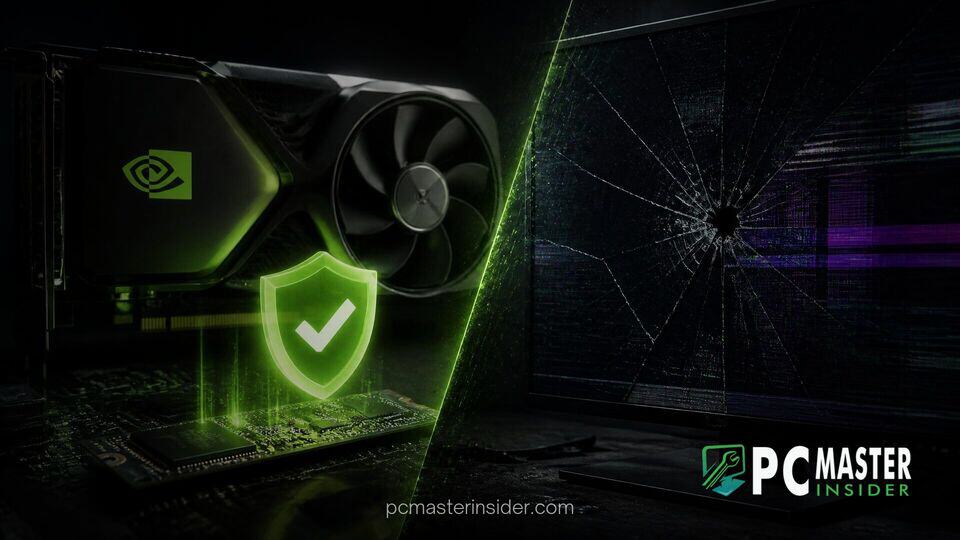
Nvidia has officially released its WHQL-certified GeForce Game Ready 621.40 driver, designed to resolve a persistent background logging bug that triggered massive write operations on solid-state drives. However, while early feedback confirms that the update successfully stops storage wear, a wave of new reports indicates that the driver introduces severe display output issues across multiple graphics card generations.
Gamers and hardware enthusiasts installing the update have encountered black screens, sudden signal loss over DisplayPort and HDMI, and persistent display handshaking failures. The unexpected side effect has forced many affected users to roll back their software while waiting for a follow-up patch from Nvidia.
Nvidia Releases Driver 621.40 to Address Excessive SSD Writes
The core objective of the GeForce 621.40 release was to eliminate a severe background logging loop introduced in earlier driver branches. Systems running driver versions 621.14 and 621.24 were affected by a runaway process within the Nvidia Display Container service, which continuously wrote data to a specific file named nvlog.nvlgstg.
This bug resulted in continuous write operations of up to 30GB per hour, even when the computer remained completely idle. Over extended periods, such excessive activity risks degrading solid-state drive endurance. While Nvidia previously released hotfix driver 621.35 to stop the runaway logging loop, several users noted that background writes persisted under certain idle conditions.
With driver version 621.40, Nvidia implemented an additional core adjustment to neutralize the logging loop permanently. System monitor tests confirm that background writes to nvlog.nvlgstg drop back to normal levels after applying the update. While this resolves the storage wear concerns, the release has unfortunately created a new operational hurdle for desktop setups.
Patching the High-Volume Background Logging Loop
According to feedback from Nvidia technical support staff, driver 621.40 includes underlying code adjustments that go beyond the initial beta hotfix. The patch reworks how the Nvidia Display Container handles diagnostic logs, preventing the service from remaining stuck in an infinite write cycle. Hardware monitors indicate that disk write activity drops from dozens of gigabytes per hour to under a few megabytes during idle operation.
Unchecked storage writes can cause long-term wear on modern consumer drives. Similar software behavior has surfaced elsewhere in the industry, such as when AMD released an Adrenalin driver update to resolve excessive SSD writes on Windows 10 systems. Nvidia's software team prioritized driver 621.40 as a full WHQL update to provide a permanent solution for all supported GeForce cards.
User Reports of DisplayPort Signal Loss and Black Screens
Shortly after the rollout of driver 621.40, report logs on official community support channels began detailing display output failures. Users running graphics cards ranging from mid-range RTX 40-series GPUs to high-end RTX 50-series hardware have experienced total loss of display output.
Common symptoms reported by affected system builders include:
- Monitors displaying a persistent "No Signal" warning immediately after boot.
- Primary displays disconnecting or cycling on and off in extended multi-monitor setups.
- Intermittent black screen flashes during desktop navigation or gaming sessions.
- Failed video detection across DisplayPort, HDMI, and USB-C Type-C connections.
For some users, the screen goes dark randomly during operation, requiring a hard reboot. In other cases, multi-monitor configurations fail to maintain an extended desktop, causing secondary screens to drop out completely.
geforce 621 40 driver display loss bug
The geforce 621 40 driver display loss bug has surfaced as a major point of discussion across tech forums, where users report sudden black screens and dropped monitor signals after updating. While driver 621.40 successfully halts background SSD wear, the newly introduced display output regressions have rendered the update problematic for many multimonitor and high-refresh-rate setups.
Rolling Back to Previous Stable GeForce Drivers
Because the display signal loss prevents normal desktop usage on affected systems, technical communities advise impacted users to roll back to a prior driver version. Removing driver 621.40 via Safe Mode using Display Driver Uninstaller (DDU) allows users to cleanly reinstall earlier, stable driver packages.
Many users report returning to branch 617.42 or 621.01, both of which retain stable display signals across multi-monitor setups without introducing video handshake failures. If your PC encounters startup issues or blank displays, following standard steps to fix a PC showing no display output can help isolate whether the issue is driven by software handshaking or physical connections.
However, rolling back to pre-621.35 drivers means the original SSD logging bug may return on certain configurations. Users opting for an older driver are encouraged to monitor their disk write activity in Windows Task Manager to ensure the background logging service does not resume high-volume writes.
Nvidia Response and Upcoming Hotfix Status
Nvidia software quality assurance engineers actively monitor feedback threads to isolate the conditions triggering the monitor disconnects. While the SSD logging fix itself has proven effective, community team members are collecting system logs, GPU model details, and display connection types to identify the root cause of the video signal failures.
Users experiencing black screens or signal drops should submit detailed configuration details to Nvidia's driver feedback forms. A supplemental hotfix driver is expected once the display handshaking regression is isolated and resolved.
The GeForce 621.40 release highlights the complex balancing act of modern graphics software updates. While Nvidia successfully remedied the high-volume SSD logging bug, the resulting display loss issues mean that many gamers should exercise caution before updating. PC owners who rely on multi-monitor setups or experience black screens should consider staying on a known stable driver until Nvidia issues a comprehensive hotfix.