
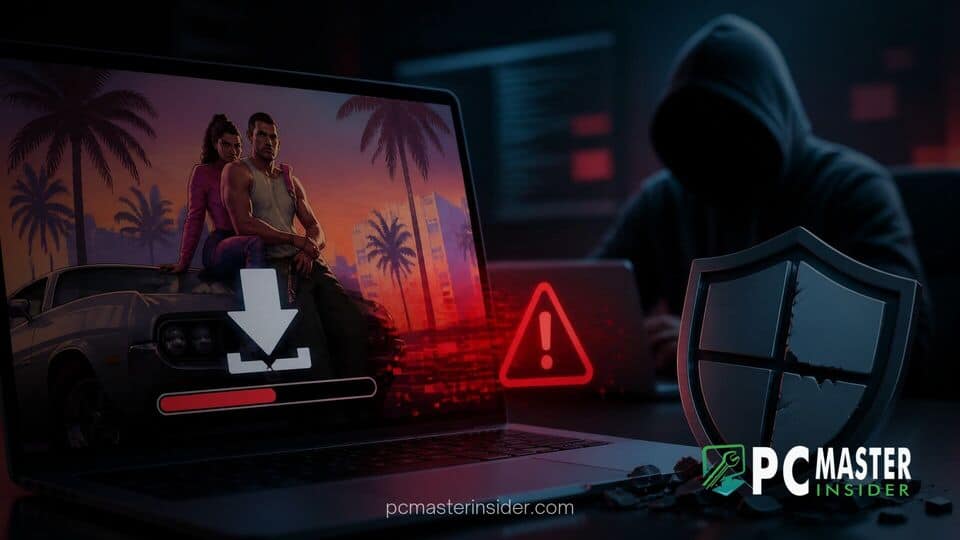
A fake 113GB Grand Theft Auto VI installer is circulating across torrent networks and file-sharing platforms, posing a severe threat to PC gamers. Instead of a playable early build or leaked game files, the download delivers malicious payloads engineered to quietly neutralize Windows Defender security protections.
As excitement continues to build for Rockstar Games' upcoming release, threat actors are leveraging the immense anticipation surrounding the title to compromise unsuspecting users. The sophisticated scam relies on file padding techniques to slip past security software before executing scripts that grant attackers deep access to infected systems.
Fake 113GB GTA VI Torrent Discovered Padding Malware
A fake GTA 6 download malware Windows Defender threat has begun spreading rapidly across peer-to-peer networks. The torrent advertises itself as a massive 113GB file, mimicking the file sizes expected from modern AAA video games to convince users of its authenticity. Names attached to the download reference recent high-profile leaks, exploiting public curiosity to drive clicks and downloads.
However, analysis of the file structure reveals that the download contains no actual game assets or code. Instead, the vast majority of the 113GB archive consists of empty dummy data, a technique known as binary padding. Threat actors deliberately inflate the file size to bypass security tools, as many antivirus engines skip scanning extremely large files to prevent performance slowdowns.
How the 50KB Payload Obfuscates Inside 100GB of Zeroes
The actual malicious component concealed within the 113GB archive is surprisingly tiny, often measuring just a few kilobytes. By packing millions of zeroes alongside a tiny executable, attackers effectively mask the payload from traditional automated scanners.
Security researchers who reverse-engineered the archive found that once extracted, the tiny setup utility launches an automated script designed to initiate system changes before the user realizes no game files are present. The reliance on file padding allows the installer to sit on user storage drives without raising immediate red flags from real-time monitoring software.
Malware Script Bypasses Windows Defender Protections
The primary objective of the installer is to systematically dismantle the host system's native defenses. Upon launching the fake setup executable, the program silently requests administrative privileges. If granted, it immediately targets Microsoft's built-in security suite to ensure subsequent malicious activities go undetected.
Reports confirm that the installer executes commands specifically targeting Windows Defender. Rather than attempting to delete security files directly, which often triggers alerts, the script manipulates native Windows settings to whitelist the entire storage environment.
PowerShell Commands Whitelisting Drives and Killing Security Processes
To achieve persistent control, the malware utilizes background PowerShell scripts to modify Windows Defender's exclusion list. The installer automatically adds entire local drives, such as the C:\ drive, to the exclusion directory. By instructing Windows Defender to ignore all activity on the primary drive, the security software is effectively blinded.
In addition to altering exclusion paths, the scripts attempt to terminate key security processes and disable real-time cloud monitoring. With Windows Defender disabled and the main drive whitelisted, additional payloads, including information stealers, remote access trojans (RATs), and keyloggers, can be downloaded and executed without encountering system resistance.
Risks for PC Gamers and How to Stay Protected
The release of fake installation packages represents a growing hazard for the gaming community. Because Grand Theft Auto VI has not been officially released for PC, any online offer claiming to provide a downloadable PC build or early access beta is inherently fraudulent.
Gamers who have executed files from these torrents are strongly advised to inspect their Windows Defender settings immediately. Users should verify that no unauthorized drive exclusions have been added to their antivirus configuration. Running scans with secondary, non-Windows security applications or performing a clean system reinstallation may be necessary if an infection is confirmed.
Cybersecurity experts stress that players should avoid downloading unverified files from third-party sources and rely strictly on official announcements from game developers and authorized digital storefronts. Maintaining cautious download habits remains the most effective defense against social engineering schemes targeting upcoming entertainment releases.



