It is hard to find the appropriate tool to update drivers on your PC. So, this Driver Easy Pro review can help to make your choice easily.
You can always update drivers manually through Windows Update, Device Manager, or the hardware manufacturer's website. However, a dedicated driver updater can make the process considerably easier. Driver Easy is one of several options available alongside tools such as Driver Booster, AVG Driver updater, etc.
In this review, I'll look at what the latest Driver Easy has to offer and whether its paid version provides enough value for users who regularly need to update or troubleshoot Windows drivers.
Driver Easy Pro Review
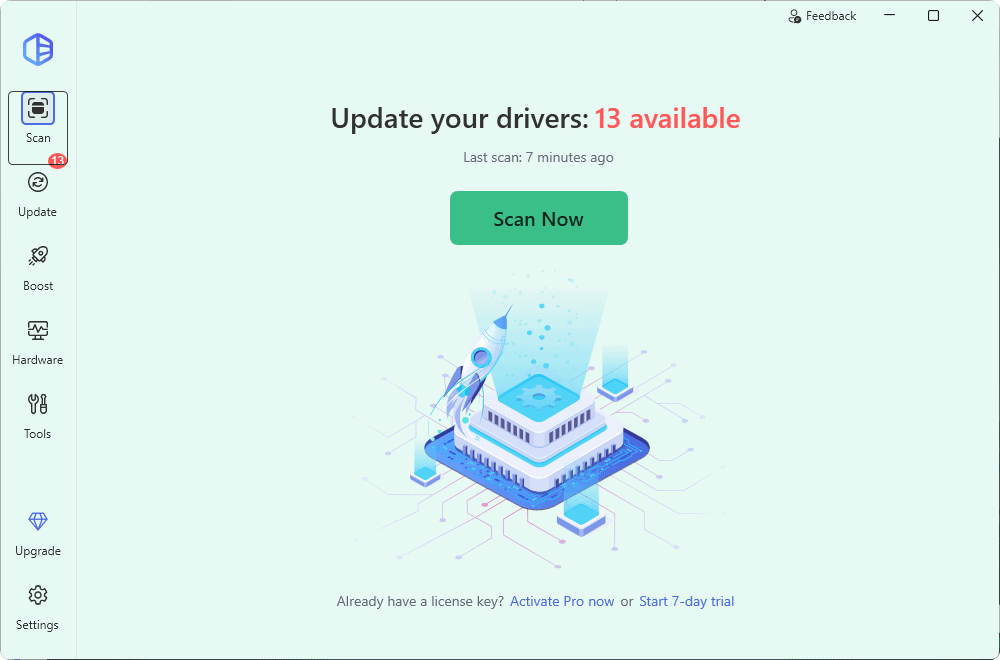
Driver Easy is a Windows driver management utility developed by Easeware Technology Limited. It scans your computer for missing, outdated, or mismatched device drivers and helps you download and install suitable replacements.
The software has changed considerably since its earlier versions. The current Driver Easy 7 series includes not only driver scanning and updating but also many amazing features. Driver backup and recovery tools, restore points, update history, offline scanning, hardware information, scheduled scans, driver uninstall and rollback features are some of them.
As of September 2026, the latest version is Driver Easy 7.2.1.6181. The 7.2 generation introduced an improved Driver Recovery system, better update controls, accessibility improvements, and several refinements to driver installation and removal.
Fix hardware issues and update all out-of-date Windows drivers in a single click. (8.5/10)
Brand: Driver Easy
Operating System: Windows 11 / 10 / 8.1 / 7
Driver Database: Over 3 Million Drivers
License Type: Annual Subscription
Supported Devices: 1 to 3 PCs or More per license
Feature Focus: Automatic Driver Backup & Restore
Try NowDriver Easy Features
Driver Easy includes most of the tools you would expect from a modern driver updater. Its major features include:
- Automatic scanning for missing, outdated, and mismatched drivers
- Access to a database containing more than 30 million drivers
- One-click driver updates with the paid version
- Driver backup and restore
- Driver Recovery before updates
- Automatic Windows restore point creation
- Driver rollback
- Driver uninstall tools
- Offline network driver scanning and downloading
- Scheduled driver scans
- Driver update history
- Hardware information and export
- Access to different available driver versions
- Game dependency scanning
- Game Boost features
- Technical support for Pro users
For most home users, this covers practically everything needed to identify, install, back up, and recover device drivers.
Scan and Update Drivers
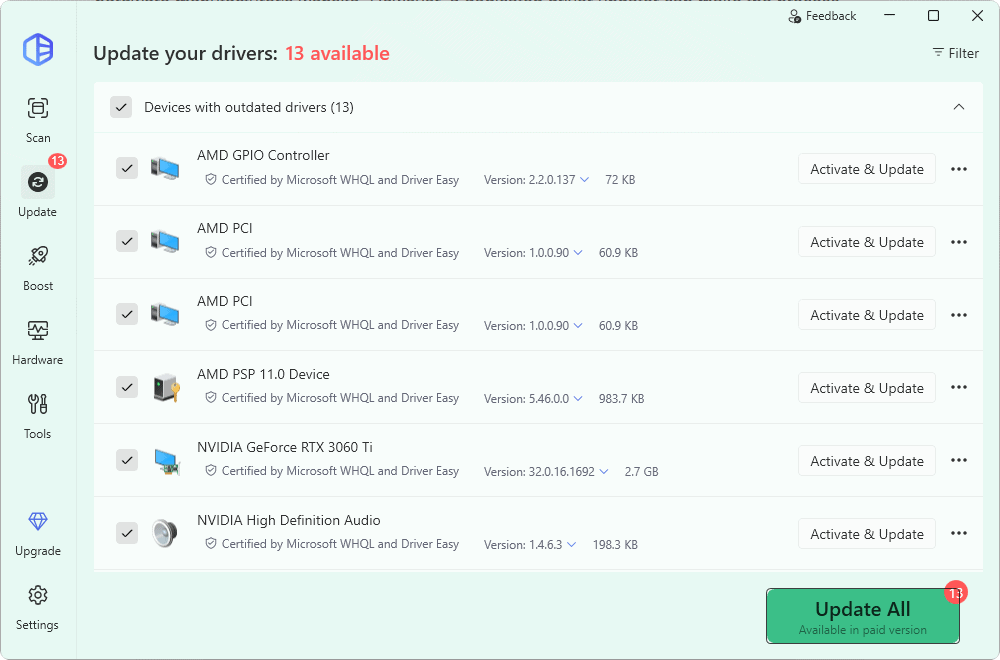
The core function of Driver Easy is its driver scanner. After scanning your computer, it identifies drivers that are missing, outdated, or potentially mismatched and displays the available replacements.
The paid version makes the process particularly convenient because it can download and install all detected driver updates with one click. You can also update drivers individually when you don't want to install everything at once.
Driver Easy also lets you view available driver versions rather than forcing you to use only one particular release. This can be useful when a newer driver causes compatibility problems and you need an alternative version.
Scheduled scanning is available as well. You can configure Driver Easy to automatically check your computer for driver updates at specified times rather than manually starting a scan every time.
When I tested, it found 13 outdated drivers which were not possible to update via Windows update. The installation was also smooth.
Large Driver Database
One major improvement since the older versions of Driver Easy is the size of its driver database. Driver Easy currently advertises access to more than 30 million drivers, compared with the roughly 8 million advertised many years ago.
The company also states that drivers are obtained from hardware manufacturers and that, on Windows 10 and Windows 11, it installs drivers certified through Microsoft's Windows Hardware Quality Labs when applicable.
Driver Recovery, Backup and Restore
Driver management always carries some risk because a newly installed driver can occasionally introduce compatibility or stability problems. I have found several safeguards for this situation in Driver Easy.
The latest versions include Driver Recovery, which can back up drivers before an update. Driver Easy also introduced storage management for these recovery files, making it easier to see and manage the backups created by the program.
Traditional driver backup and restore functionality is also available, allowing you to save installed drivers and restore them later if necessary.
Driver Easy can additionally create a Windows restore point before making driver changes. If something goes wrong, you therefore have another recovery option available.
Driver Rollback and Uninstall
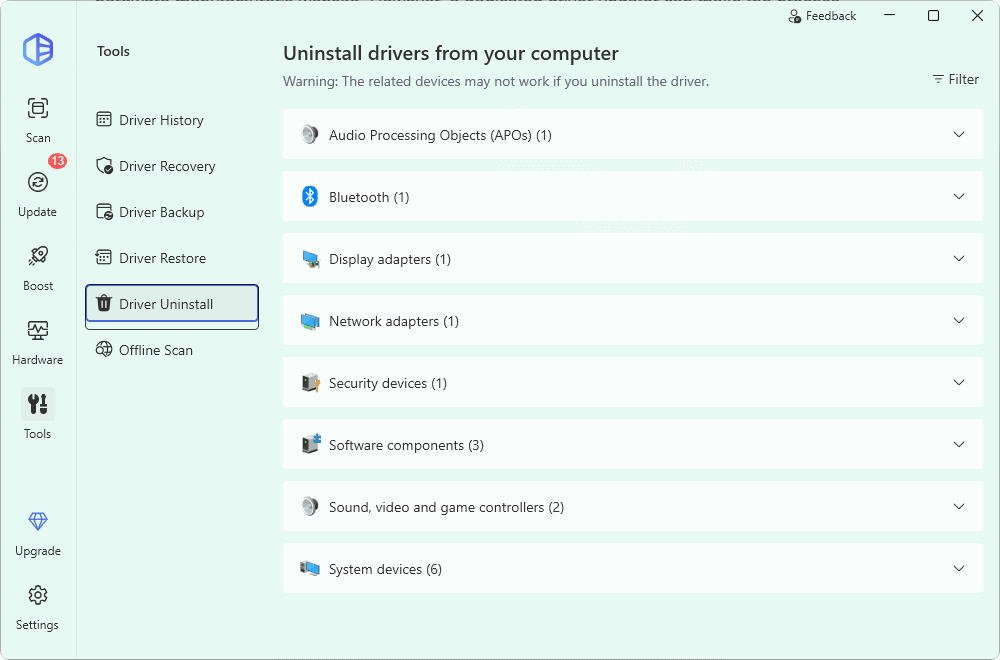
Driver Easy isn't limited to installing newer drivers. You can also roll a device back to a previously installed driver or uninstall an unwanted driver.
This is particularly useful when a driver update introduces bugs, hardware instability, graphical problems, connectivity issues, or other unexpected behavior.
The latest version also includes improvements to the driver uninstall process and gives users more control over recovery data.
Offline Scan
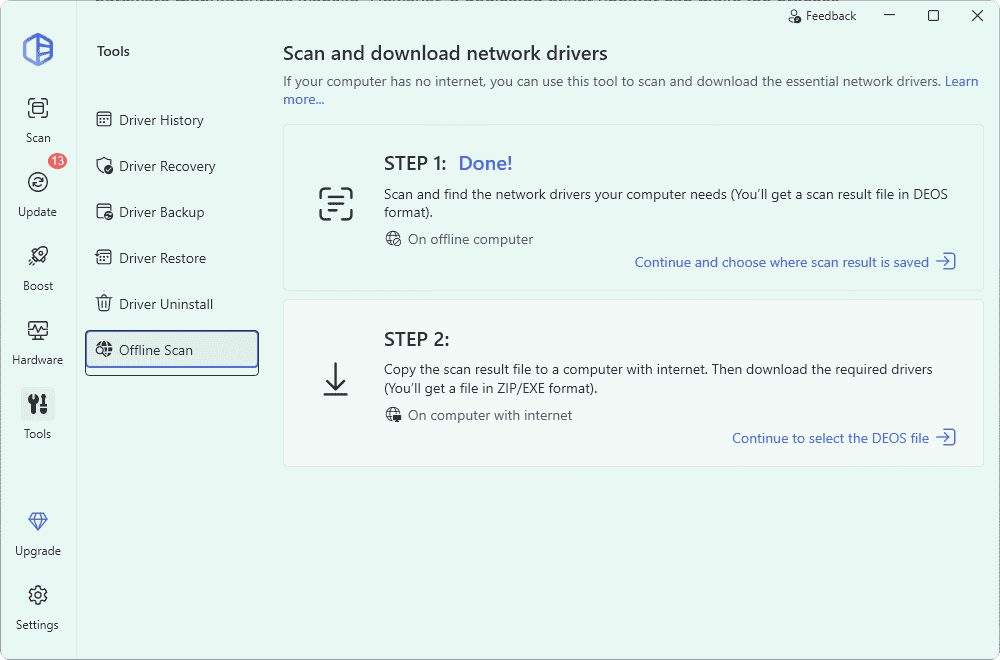
Offline Scan remains one of Driver Easy's most useful troubleshooting features.
Suppose a computer cannot connect to the internet because its network adapter driver is missing or corrupted. Normally, downloading the correct network driver on that same computer would be difficult.
With Driver Easy, you can perform an offline scan and save the resulting hardware information to a file. You can then transfer that file to another computer with internet access, use Driver Easy there to identify and download the appropriate network driver, and transfer the downloaded driver back to the offline computer.
While reviewing, I found this feature a bit different than older version. Now, it clearly shows you the steps for offline scanning. It is really helpful to directly go to the relavent step without hiccups.
Driver Update History
Recent Driver Easy versions maintain a driver update history so you can check which drivers have been changed. The latest releases have improved this feature by distinguishing between updates performed through Driver Easy and driver changes originating from other sources.
This can be helpful when troubleshooting a problem that began after a recent driver change.
Hardware Information
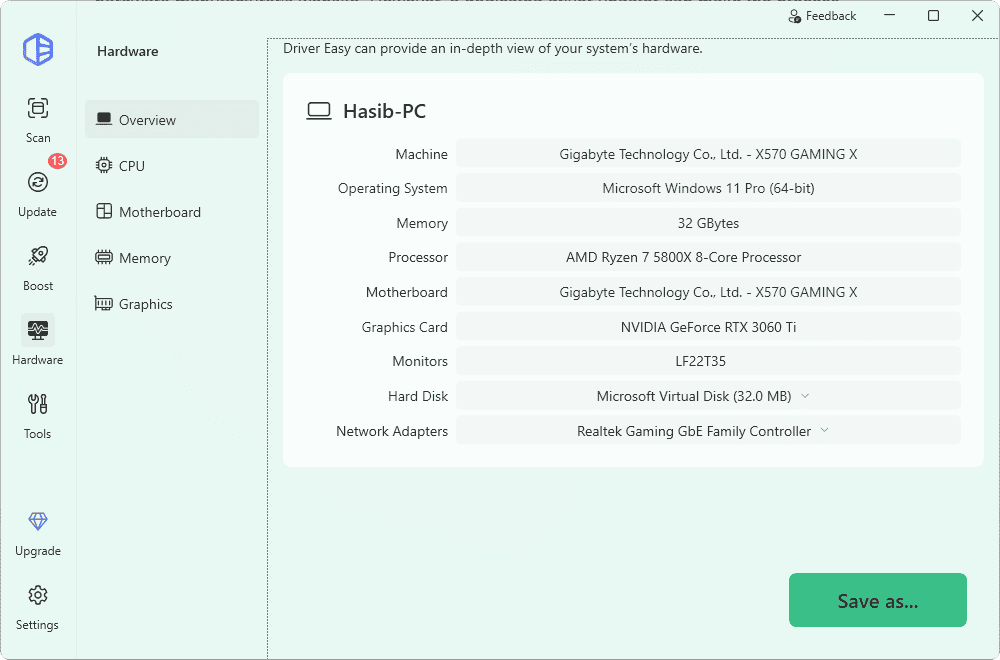
Driver Easy can display detailed information about the hardware installed in your PC. Hardware information can also be exported, which can be useful when diagnosing a system, documenting a PC configuration, or looking for support.
The 7.2 series also improved how system and hardware information is presented within the application.
Game Boost and Game Dependencies
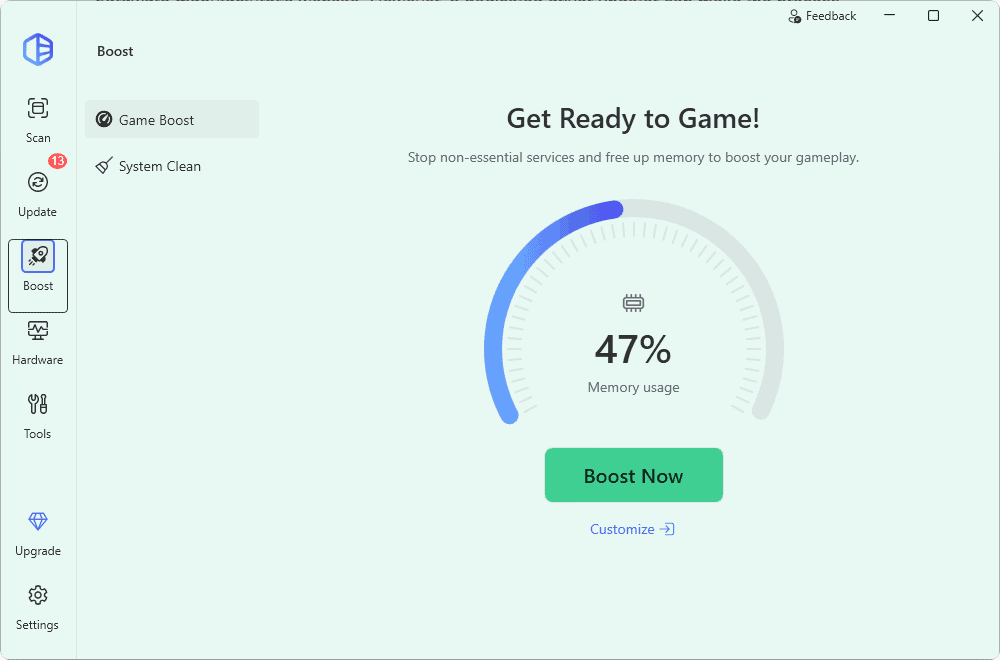
Driver Easy has expanded beyond basic driver updating in recent releases. The Driver Easy 7 series includes gaming-related functionality such as Game Boost and game dependency scanning.
Game dependency scanning can help identify supporting components required by games, while Game Boost is designed to reduce unnecessary background resource usage while gaming.
These aren't essential features if you only need a driver updater, but they add some extra value for PC gamers.
Interface and Ease of Use
Driver Easy has a relatively simple interface, which is important for software aimed at users who may not be comfortable identifying hardware or manually installing drivers.
The main functions are separated into clear areas for scanning, updates, hardware information, tools, settings, and other features. You don't need much technical knowledge to perform a basic scan and see which drivers Driver Easy recommends updating.
The more recent releases have also focused on accessibility. Driver Easy added adjustable text sizes, including Default, Medium, Large, and Extra Large options, while recent 7.x updates have improved keyboard navigation and screen-reader compatibility.
Users can also configure window behavior, including options related to minimizing the application to the system tray.
Driver Easy Performance
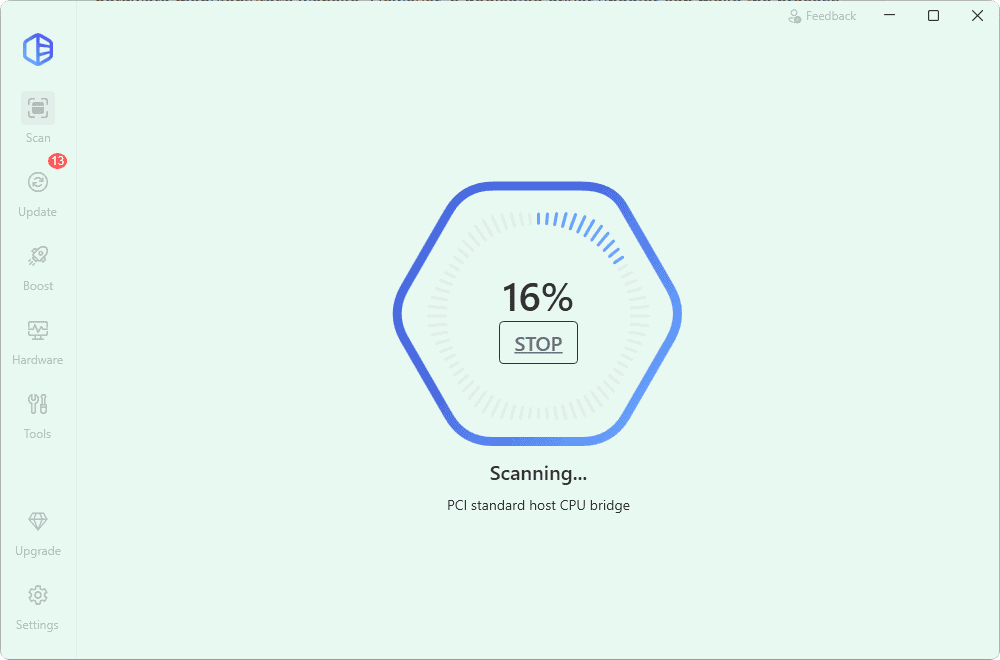
Driver Easy's scanning process is straightforward: launch the application, start a scan, and wait while it checks the installed hardware and associated drivers against its database.
One of the main advantages of the paid version is that downloading and installing multiple drivers requires considerably less manual work. Driver Easy advertises download speeds ranging from approximately 500 KB/s to 20 MB/s for its current trial and paid offerings, although actual speeds naturally depend on your internet connection, the driver source, and other network conditions.
The ability to update everything at once is particularly useful after reinstalling Windows or setting up a PC with many missing drivers.
The latest releases have also improved the installation process. Driver Easy specifically includes improvements to driver installation and uninstall functionality, along with fixes for offline installation issues.
Driver Safety and Recovery
Automatically changing hardware drivers is something that should always be approached carefully. A newer driver isn't necessarily better for every particular PC configuration, especially with older hardware.
Driver Easy addresses this risk with automatic restore points, driver backups, recovery files, driver rollback, and access to alternative driver versions.
These safeguards are among the stronger reasons to use a dedicated driver management utility instead of simply installing every driver you can find online.
Even when using Driver Easy, it is still a good idea to avoid updating a perfectly functioning driver without a reason, particularly for critical components. Creating a restore point or driver backup before major updates is also recommended.
Driver Easy Free vs Pro
The distinction between Driver Easy's free and paid offerings has changed since earlier versions of the software.
Driver Easy currently promotes a 7-day trial that provides access to many of the conveniences normally associated with the paid product, including one-click driver installation and faster downloads.
The paid annual plan provides features such as automatic installation of multiple drivers, high-speed downloads, restore points, backup and restore, rollback, offline scanning, technical support, and automatic Driver Easy application updates.
The current trial is therefore much more useful for evaluating the software than the limited free experience offered by older Driver Easy versions.
What I Like About Driver Easy
- Simple driver scanning and updating process
- More than 30 million drivers in its database
- One-click updates with the paid version
- Driver Recovery before updates
- Backup, restore, and rollback functionality
- Automatic restore point creation
- Useful Offline Scan feature
- Scheduled driver scans
- Ability to view alternative driver versions
- Driver update history
- Useful hardware information tools
- Improved accessibility in recent versions
- 7-day trial available
A few Downsides of Driver Easy
Driver Easy still has a few disadvantages worth considering.
- The most convenient functionality requires a paid subscription.
- Some of the newer additional features, such as gaming optimization tools, may not be useful to users who only want basic driver management.
- The subscription model may be less attractive to users who only need to update drivers once after reinstalling Windows.
The good news is that the current 7-day trial makes it easier to evaluate Driver Easy before committing to an annual subscription.
Driver Easy Pro Price
Driver Easy's pricing has changed significantly since the older versions of this review.
At the time of this update, Driver Easy advertises an annual plan starting at $29.95 per year. It also offers a 7-day trial for $0 upfront, which converts to a paid annual subscription if it isn't canceled before the trial ends. The standard renewal price shown for that trial offer is currently $39.95 per year.
Pricing, license limits, promotions, and regional currencies can change, so it's a good idea to check the current offer on Driver Easy's website before purchasing.
Note: PCMaster Insider user can grab Driver Easy Pro for 3 PC/Year at just $25.46 instead of $59.90.
Driver Easy Good and Bad Sides at a Glance
| Pros | Cons |
|---|---|
| Vast database of certified drivers | Subscription-based license model |
| One-click update for convenience | Requires an internet connection for updates |
| Automatic backup and restore points | |
| High-speed driver downloads | |
| Offline scanning for network fixes |
Is Driver Easy Pro Worth It?
Driver Easy Pro makes the most sense for users who frequently install Windows, maintain multiple PCs, troubleshoot hardware problems, or simply don't want to search through hardware manufacturers' websites for individual drivers.
The biggest advantage isn't merely detecting an outdated driver. Windows and manufacturer utilities can often do that as well. Driver Easy's main benefit is bringing scanning, downloading, installation, backup, recovery, rollback, and offline troubleshooting together in one interface.
Users who rarely experience driver problems may be perfectly comfortable using Windows Update and downloading an occasional driver manually. In that case, paying for another subscription may not be necessary.
For users who regularly work with drivers, however, the one-click updating, large driver database, recovery features, and offline scanning tools can save considerable time.
Final Thoughts
Driver Easy has evolved considerably from the versions available when this review was originally published. The current Driver Easy 7.2 series is a much more complete driver management utility, with more than 30 million drivers, one-click updates, Driver Recovery, restore points, backup and restore, rollback, offline scanning, scheduled scans, driver history, hardware information, and improved accessibility.
Its strongest feature remains convenience. Rather than manually identifying every device, locating the manufacturer's download page, determining which driver version is appropriate, and installing each package separately, Driver Easy can handle much of that process from a single application.
It isn't essential for every Windows user, and Windows Update remains sufficient for many PCs. But if you frequently deal with missing, outdated, or problematic drivers, Driver Easy Pro provides a convenient set of tools for managing them.