
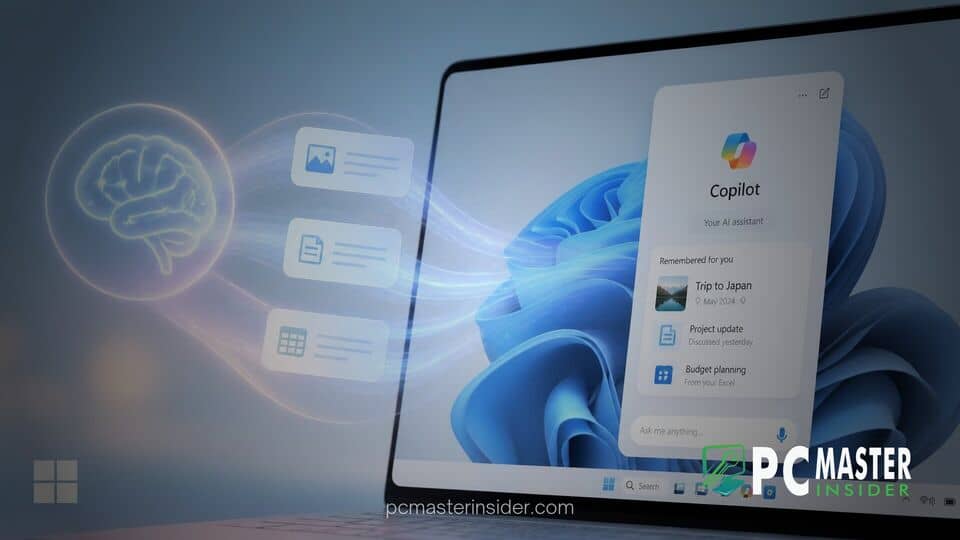
Microsoft has begun expanding its Windows 11 ecosystem by integrating advanced AI memory features into Copilot. This update allows the artificial intelligence assistant to retain personal context, user preferences, and project parameters across multiple conversational sessions.
By transforming Copilot from a session-isolated chatbot into a persistent digital companion, Microsoft aims to reduce repetitive prompting and streamline complex daily workflows for desktop users. The new capabilities are rolling out to registered users and enterprise accounts as part of Microsoft's broader strategy to deeply embed artificial intelligence within the Windows operating system environment.
Copilot AI memory Windows 11: Smarter Context Retention for Desktop Users
The introduction of the Copilot AI memory Windows 11 feature represents a fundamental shift in how the native assistant interacts with desktop users. Rather than resetting its contextual understanding at the close of every window session, Copilot now records key details, preferences, and ongoing tasks to provide a more tailored assistant experience.
Through this integration, users can instruct Copilot to store specific information, such as preferred coding languages, document formatting styles, or active project roles. Additionally, the system intelligently captures implicit context over time, noticing recurring topics or tools mentioned during regular problem-solving sessions. This capability allows the software to deliver customized responses without requiring users to repeat background information in every new query.
Understanding Copilot AI Memory Enhancements
The underlying infrastructure supporting these persistent memory updates combines natural language processing with refined data management protocols. Previously, large language model interfaces relied almost entirely on immediate prompt windows or short-term thread history. When a user started a new conversation, the system treated the interaction as a blank slate.
With the updated architecture, Copilot maintains a structured knowledge store linked to the user profile. When a prompt is submitted, the assistant references both its general training data and the specific, saved memory parameters. This architecture allows Copilot to pull pertinent background details into the immediate context window instantly.
How Contextual Recall Improves Productivity
For daily professionals and casual users alike, contextual memory drastically shortens the distance between a question and an actionable answer. In traditional setups, requesting assistance with draft emails or technical reports required detailed setup prompts explaining writing tones, target audiences, or company guidelines.
Under the new memory framework, these guidelines can be established once. For instance, a financial analyst can instruct Copilot to format all summarized data into specific tables using concise bullet points. Subsequent requests for summaries automatically inherit those structural choices without needing explicit commands every single time.
Implementation of Privacy and Data Controls
Recognizing the sensitive nature of persistent digital memories, Microsoft has built a dedicated management interface alongside the recall capabilities. Privacy concerns often emerge when personal details are saved by automated tools, making transparency a critical requirement for enterprise and consumer adoption.
The Windows 11 interface now includes direct access to Copilot Memory settings. From this dashboard, users can view a comprehensive list of every fact or preference the assistant has retained. If an entry is inaccurate, outdated, or confidential, users hold the ability to delete individual items or wipe the entire memory record with a single click.
Managing Personal Information in AI Memory
To ensure user governance over sensitive data, Microsoft allows complete control over the automated memory capture process. Users can toggle off automatic memory collection entirely, forcing Copilot to operate strictly in standard session mode.
Furthermore, explicit privacy parameters prohibit the assistant from storing sensitive personal identifiers, financial account details, or unverified security credentials. If a conversation touches upon sensitive matters, the system is designed to skip memory creation unless explicit manual instructions are provided.
Impact on Windows 11 User Workflow
The integration of long-term memory into Copilot marks another key step in Microsoft's vision of turning Windows 11 into an AI-first operating system platform. As AI tools transition from standalone web apps to system-level features, deep integration into desktop environments becomes essential.
Industry analysts note that persistent recall bridges the gap between basic utility software and active digital collaboration. By recognizing user routines across native applications, Copilot can assist with cross-platform tasks more effectively, whether drafting content in text editors or analyzing data in spreadsheets.
Comparing Standard vs. Enhanced Copilot Performance
Without memory enhancements, Copilot operates as a reactive search and generation tool. Each interaction requires complete context input, leading to redundant effort when managing ongoing initiatives. Standard performance relies heavily on how well the user prompts the system in real-time.
In contrast, Enhanced Copilot leverages stored memory to anticipate preferences, adapt output styles dynamically, and maintain continuous project context. This structural evolution reduces input overhead, decreases query iteration time, and creates a far more cohesive user experience across the entire Windows 11 ecosystem.
As Microsoft continues updating Copilot for Windows 11, the rollout of advanced memory capabilities underscores a broader push toward personalized computing. By offering robust user controls alongside contextual recall, Microsoft aims to deliver a smarter, more productive assistant experience while leaving data privacy firmly in the hands of the user.



